
Efficient Employee Work Hours Tracking with Professional Excel Timesheet Templates
Streamline your payroll processing and monitor employee productivity with a professional Excel template for tracking working hours. Utilizing a structured timesheet eliminates manual data entry errors while ensuring accurate overtime calculations and detailed attendance logs. These spreadsheets incorporate automated formulas for clock-in and clock-out times, making project management seamless for small businesses and freelancers alike. Improve your administrative workflow and maintain precise records effortlessly. Please explore our diverse selection of professionally crafted template variations listed below.
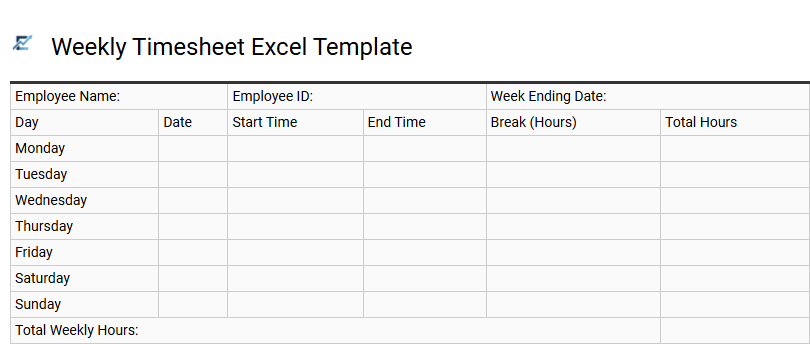
Weekly Timesheet Excel Template
A weekly timesheet Excel template is an essential tool for accurately recording labor hours over a seven-day period. Designed for precision and ease of use, these templates utilize built-in formulas to automatically calculate daily totals, break deductions, and overtime based on specific clock-in and clock-out times.
By digitizing time tracking, businesses can significantly reduce manual calculation errors, streamline the payroll process, and maintain transparent records for auditing. The structured layout allows both employers and contractors to monitor productivity and ensure project budgets are managed effectively. Utilizing a standardized spreadsheet ensures consistency across the organization while providing a professional format for billable hour reporting.
This template is perfectly suitable for freelancers billing hourly clients, small businesses managing part-time staff schedules, and project managers tracking consultant labor costs.
Download: 💾 Weekly Timesheet Excel Template .xls
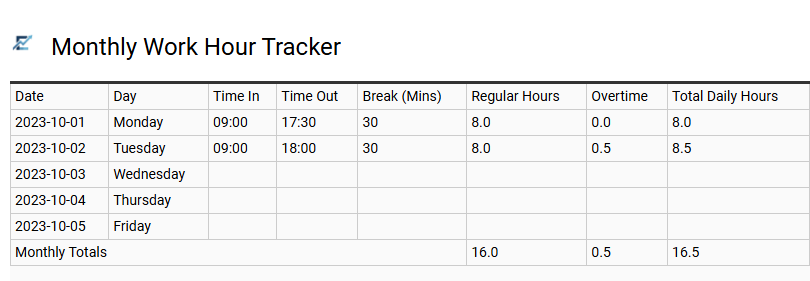
Monthly Work Hour Tracker
A Monthly Work Hour Tracker in Excel is a powerful tool designed to streamline time management and payroll accuracy. This template allows employees and freelancers to log daily clock-in times, breaks, and departures within a structured spreadsheet. By utilizing automated formulas, the tracker calculates total duration and overtime, eliminating manual calculation errors.
This organized data provides clear visibility into productivity levels and ensures compliance with labor regulations. Whether you need to monitor project-specific labor or general attendance, an Excel-based timesheet offers a flexible, professional solution for data-driven reporting.
This kind of template is suitable for freelancers billing hourly clients, small business owners managing employee payroll, and remote workers tracking project milestones.
Download: 💾 Monthly Work Hour Tracker .xls
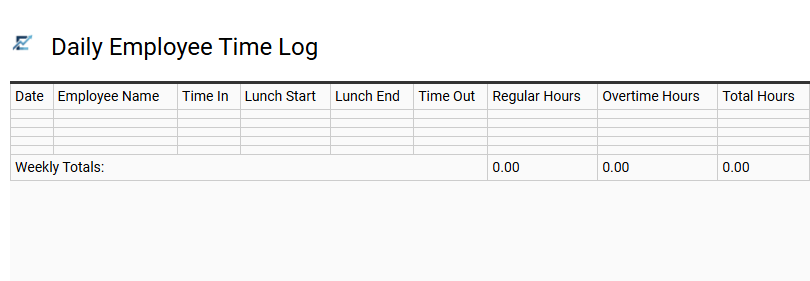
Daily Employee Time Log
A daily employee time log is a precise Excel tool designed to capture clock-in and clock-out times, break durations, and overtime. By utilizing automated formulas, this template eliminates manual calculation errors, ensuring that total daily hours are recorded with high accuracy. It provides a transparent audit trail for both managers and staff, simplifying payroll preparation and helping businesses remain compliant with labor laws.
Organizing data within an Excel spreadsheet allows for seamless filtering by date or department, making it an efficient solution for monitoring labor costs and operational productivity.
This template is highly suitable for managing freelance project billables, tracking hourly shifts in retail environments, or monitoring daily attendance for remote teams.
Download: 💾 Daily Employee Time Log .xls
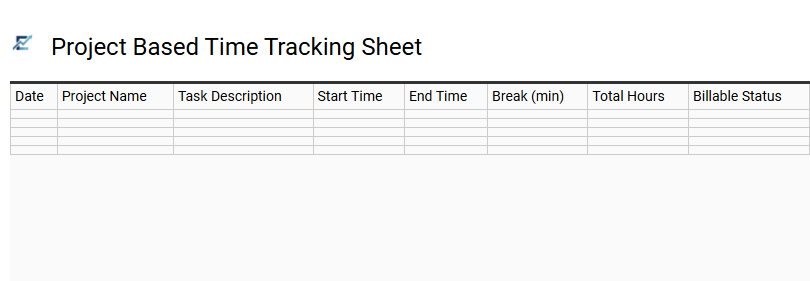
Project Based Time Tracking Sheet
A project-based time tracking sheet is a specialized Excel tool designed for professionals who manage multiple assignments simultaneously. By categorizing work hours by specific projects, tasks, and clients, it allows for precise labor allocation and data-driven productivity analysis.
This template streamlines the documentation of billable hours, ensuring that every minute spent on a deliverable is accounted for. It typically features automated formulas to calculate total durations, break intervals, and labor costs. Using this structured approach helps in maintaining transparency for client invoicing, identifying workflow bottlenecks, and preventing budget overruns.
This template is ideal for freelance graphic designers, construction project managers, and software development agencies.
Download: 💾 Project Based Time Tracking Sheet .xls
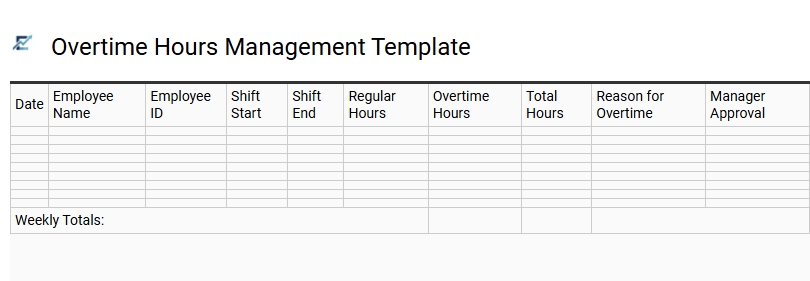
Overtime Hours Management Template
An effective Overtime Hours Management Template streamlines the process of calculating additional labor time and premium pay rates. By automating time-tracking through integrated formulas, businesses can ensure strict compliance with labor laws and significantly improve payroll accuracy. These templates allow users to distinguish between standard shifts and various overtime tiers, such as time-and-a-half or double-time, based on specific daily or weekly thresholds.
Centralizing this data provides managers with clear insights into labor costs and helps identify operational bottlenecks. Utilizing a structured Excel log reduces manual entry errors, simplifies auditing processes, and supports better budget forecasting for long-term projects. This ensures transparency between employers and staff regarding compensation for extra effort.
This kind of template is suitable for construction site supervisors, retail store managers, and freelance creative agencies.
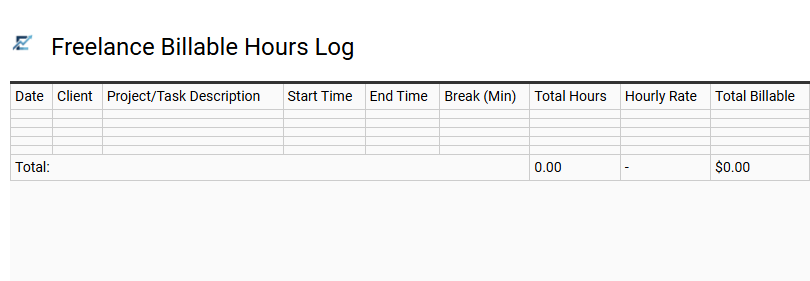
Freelance Billable Hours Log
A Freelance Billable Hours Log is a specialized Excel template designed to help independent contractors accurately record time spent on client-specific projects. By documenting start times, end times, and task descriptions, this tool ensures that every minute of work is accounted for, facilitating transparent and professional invoicing.
Automated formulas within the spreadsheet calculate total hours and expected earnings based on pre-set hourly rates, reducing manual entry errors. Utilizing a structured log not only simplifies the billing process but also provides valuable insights into productivity and project profitability. This organizational approach builds trust with clients by providing a clear audit trail of all billable activities.
This template is ideal for graphic designers managing multiple creative projects, freelance writers billing per article revision, and independent software developers tracking daily coding sprints.
Download: 💾 Freelance Billable Hours Log .xls
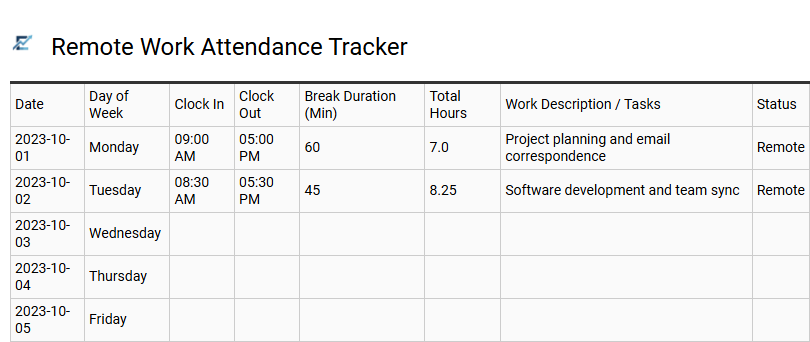
Remote Work Attendance Tracker
An Excel-based remote work attendance tracker is an essential tool for maintaining transparency and accountability in distributed teams. This template simplifies the process of logging daily start times, end times, and break durations, automatically calculating total billable hours to ensure accurate payroll. By centralizing attendance data, businesses can easily monitor employee availability across different time zones and identify productivity trends.
Using a structured spreadsheet eliminates manual errors and provides a reliable audit trail for labor compliance. It offers a cost-effective solution for organizations that need a professional way to manage flexible schedules without investing in complex software.
This template is ideal for managing freelance contractors, tracking project hours for remote agencies, and monitoring shift attendance for distributed corporate departments.
Download: 💾 Remote Work Attendance Tracker .xls
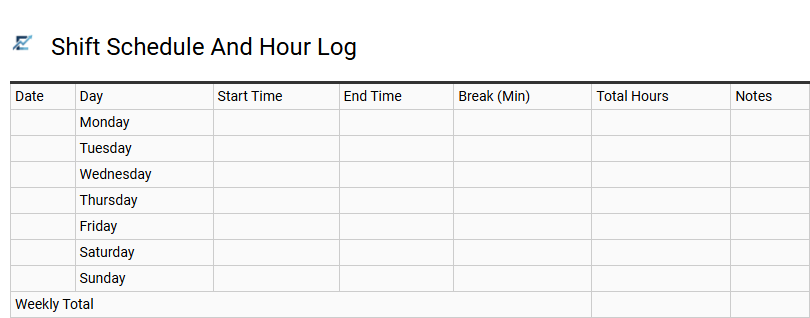
Shift Schedule And Hour Log
A Shift Schedule and Hour Log template is an essential Excel tool designed to streamline workforce management and payroll accuracy. It provides a structured format for planning upcoming shifts while allowing employees to log their actual start times, end times, and break durations. By utilizing automated formulas, the template calculates total daily and weekly hours, reducing manual errors and simplifying labor cost analysis. This dual-purpose approach helps managers compare scheduled versus actual hours worked, ensuring better attendance tracking and operational efficiency. Centralizing this data in a spreadsheet improves transparency and simplifies the record-keeping process for both employers and staff.
This kind of template is perfectly suitable for retail store staffing, restaurant shift management, and freelance project time tracking.
Download: 💾 Shift Schedule And Hour Log .xls
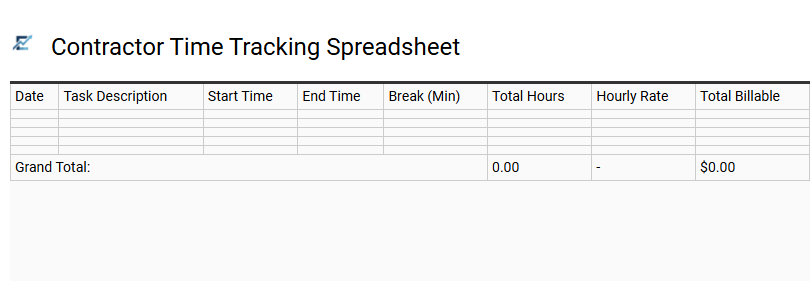
Contractor Time Tracking Spreadsheet
A contractor time tracking spreadsheet is an essential tool for freelancers and independent professionals to log billable hours accurately. Using an Excel template simplifies the process of monitoring project timelines, calculating total pay based on hourly rates, and generating professional invoices. These templates often feature automated formulas for overtime calculation and breaks, ensuring precision in financial reporting.
By maintaining a centralized record of daily tasks, contractors can improve transparency with clients and optimize their productivity. This structured approach to time management helps in meeting deadlines while providing clear documentation for tax purposes and audits. This template is suitable for independent graphic designers billing by the hour, construction subcontractors managing site labor, and consultant teams tracking multi-client project milestones.
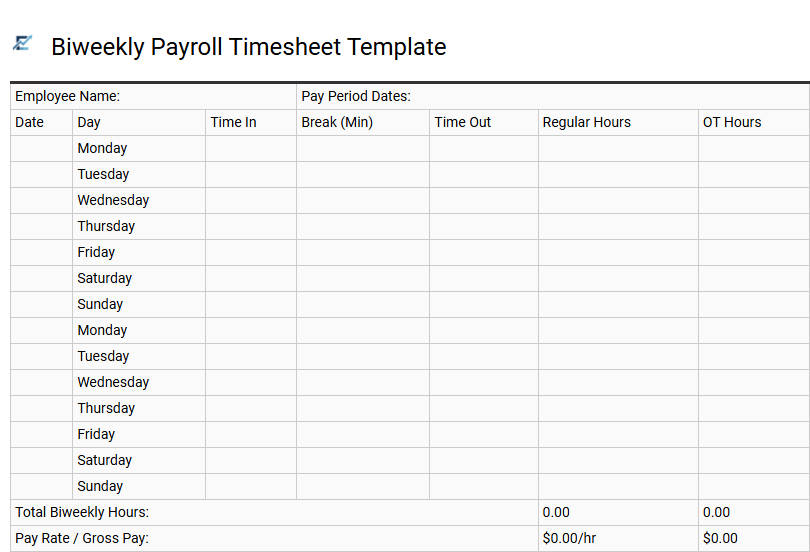
Biweekly Payroll Timesheet Template
A biweekly payroll timesheet template is an essential Excel tool designed to streamline time tracking over a standard 14-day pay cycle. By utilizing built-in formulas, this template automatically calculates regular hours, overtime, and total gross pay, significantly reducing manual entry errors and ensuring payroll accuracy.
The structured layout allows employees to easily log daily clock-in and clock-out times, including lunch breaks. For HR managers and small business owners, this template provides clear visibility into labor costs and simplifies record-keeping for labor law compliance. Using a standardized biweekly format aligns perfectly with common corporate payment schedules, making the transition from time log to paycheck seamless and efficient.
This template is ideal for retail businesses managing hourly staff, freelancers tracking two-week project sprints, and small agencies operating on bi-monthly payroll cycles.
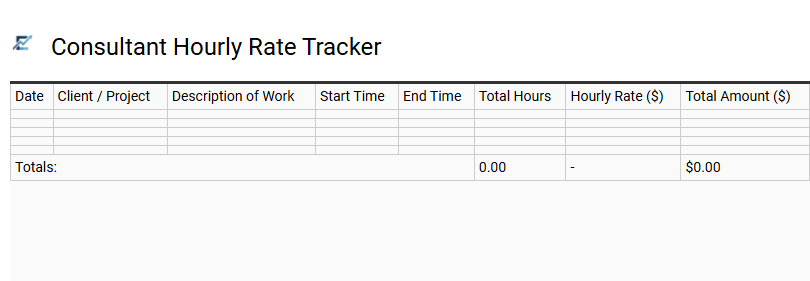
Consultant Hourly Rate Tracker
A Consultant Hourly Rate Tracker Excel template simplifies the complexities of freelance billing and project management. By automating calculations, consultants can accurately record billable hours across various tasks and instantly determine total earnings based on specific client rates. This tool ensures transparent invoicing, helps monitor project budgets, and provides a comprehensive overview of time allocation.
Utilizing built-in formulas, the template eliminates manual entry errors, making it an essential asset for financial organization and productivity analysis. This template is ideal for freelance software developers, independent marketing consultants, and legal professionals managing multiple client accounts.
Download: 💾 Consultant Hourly Rate Tracker .xls
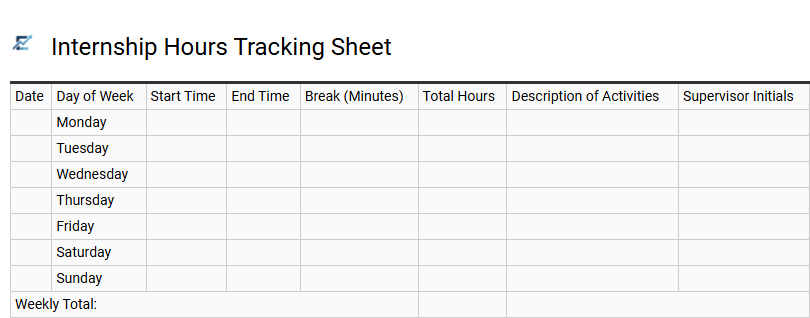
Internship Hours Tracking Sheet
An Internship Hours Tracking Sheet is a vital tool for students and employers to accurately log daily work activities and professional development. Using a structured Excel template ensures precise monitoring of total hours, which is often required for academic credit or professional certification. These spreadsheets typically feature automated formulas to calculate daily totals, track break times, and record supervisor sign-offs.
By maintaining a clear digital log, interns can easily demonstrate their progress and meet organizational requirements with transparency. This specialized timesheet streamlines the administrative process, ensuring both compliance and accountability throughout the internship duration. This template is suitable for university students fulfilling graduation requirements, vocational trainees documenting skill hours, and corporate interns reporting for payroll processing.
Download: 💾 Internship Hours Tracking Sheet .xls
Part Time Staff Time Log
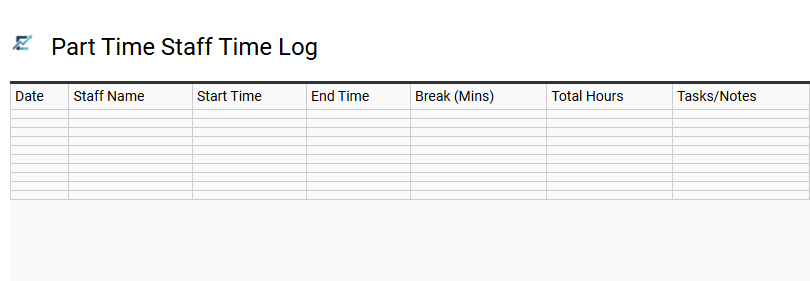
This Part Time Staff Time Log is a specialized Excel template designed to streamline the recording of flexible working hours. It provides a structured format for employees to log their daily start times, end times, and unpaid breaks, ensuring accurate payroll calculations. By automating total hour summations, the template minimizes manual entry errors and helps managers monitor labor costs in real-time. Maintaining a digital log also facilitates better communication regarding shift availability and improves transparency for audit purposes.
This template is perfectly suited for managing university student assistants, seasonal retail employees, or freelance content creators working on hourly retainers.
Download: 💾 Part Time Staff Time Log .xls
Departmental Work Hour Summary
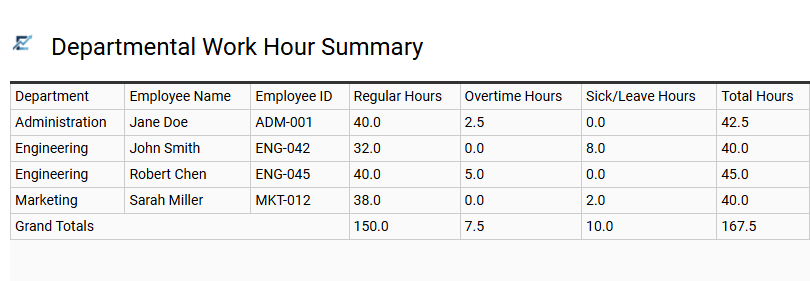
The Departmental Work Hour Summary serves as a centralized dashboard within an Excel template to monitor labor distribution across different organizational units. This section aggregates individual timesheet entries into a high-level overview, highlighting total hours worked, overtime accumulation, and resource utilization by team.
By utilizing structured data, managers can quickly identify departments exceeding budget or those under capacity, facilitating better-informed staffing decisions. This summary simplifies complex data into readable metrics, ensuring that labor costs remain aligned with project milestones and company goals. It is an essential tool for maintaining operational transparency and ensuring equitable workload distribution throughout the company.
This template is suitable for processing monthly payroll in multi-department corporations, tracking billable hours in creative agencies, and monitoring production shifts in manufacturing facilities.
Download: 💾 Departmental Work Hour Summary .xls
Task Oriented Time Tracking Template
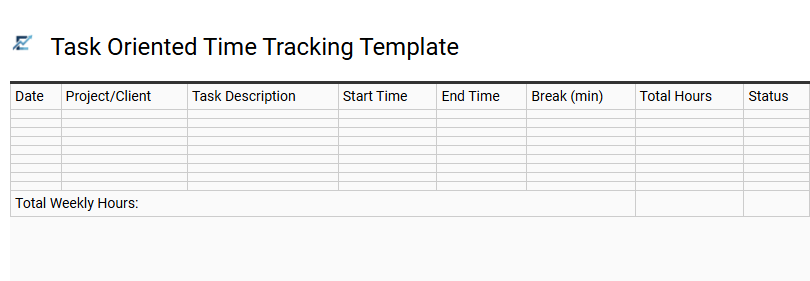
A task-oriented time tracking template shifts the focus from simple attendance to specific project activities. This Excel-based tool allows users to break down their workday into individual tasks, providing a granular view of productivity. By documenting task descriptions, categories, and durations, professionals can identify time-consuming bottlenecks and optimize their daily workflows for maximum efficiency.
Implementing a task-centric approach ensures that every minute is accounted for, transforming raw data into actionable insights. This structure is essential for accurate resource management and improving the precision of project estimates. It empowers users to prioritize high-value activities while maintaining a transparent record of all completed work.
This template is suitable for: freelance developers managing multiple client projects, marketing agencies tracking campaign-specific hours, and consultants requiring detailed activity logs for accurate billing.
Adopting professional Excel timesheet templates streamlines employee work hours tracking, ensuring precise payroll processing and enhanced productivity. These automated spreadsheets simplify attendance logs, allowing for seamless overtime calculation and labor cost monitoring. By leveraging structured layouts, businesses maintain high data integrity while reducing administrative overhead.
Utilizing these robust tools empowers workforce management through reliable performance insights. Implementing a standardized tracking system remains essential for operational efficiency and long-term organizational success.