
Efficient Weekly Task Management Excel Template for Enhanced Productivity
Managing your workload efficiently requires a structured approach. An Excel template for tracking weekly tasks provides a robust framework for organizing daily responsibilities and long-term milestones within a dynamic spreadsheet. These productivity tools utilize automated formatting to highlight urgent deadlines and monitor project status. By integrating a dedicated task management system into your workflow, you can enhance accountability and streamline time-sensitive operations. Experience improved organization and peak performance with a customizable layout tailored to your unique requirements. Explore our curated selection of pre-made templates below.
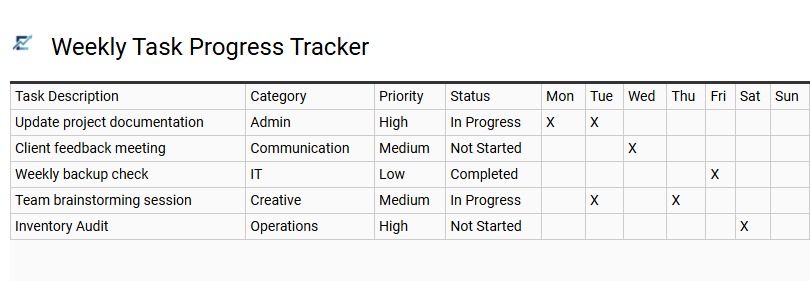
Weekly Task Progress Tracker
A Weekly Task Progress Tracker is a functional Excel tool designed to streamline productivity and provide a clear overview of your seven-day objectives. By utilizing a structured layout, users can categorize assignments, set priority levels, and monitor real-time completion statuses. This template eliminates the chaos of manual lists, offering a centralized dashboard to visualize upcoming deadlines and identify potential bottlenecks early.
Implementing an Excel-based tracker enhances accountability and ensures that high-impact tasks remain the primary focus throughout the week. With customizable columns and data validation, it transforms a standard to-do list into a strategic management asset. This template is suitable for project managers overseeing team deliverables, students organizing academic assignments, and freelancers managing multiple client deadlines.
Download: 💾 Weekly Task Progress Tracker .xls
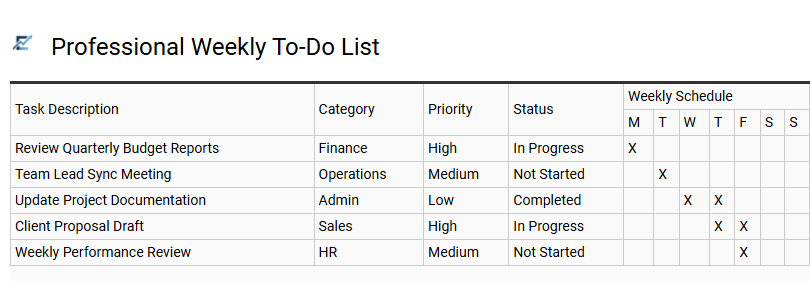
Professional Weekly To-Do List
Streamline your workflow and enhance productivity with a structured Excel template designed for comprehensive task management. A professional weekly to-do list provides a centralized dashboard to categorize priorities, assign deadlines, and monitor completion status in real-time. By leveraging Excel's data validation and conditional formatting, users gain instant visual clarity on their workload, ensuring no critical action item is overlooked.
This systematic approach to organization reduces cognitive load, improves time allocation, and fosters accountability for individual or team-based projects. Utilizing a digital tracker allows for seamless adjustments as priorities shift throughout the business week, keeping your primary objectives aligned with operational demands.
This template is ideal for project managers tracking project milestones, freelancers balancing multiple client deliverables, and department heads coordinating recurring weekly operations.
Download: 💾 Professional Weekly To-Do List .xls
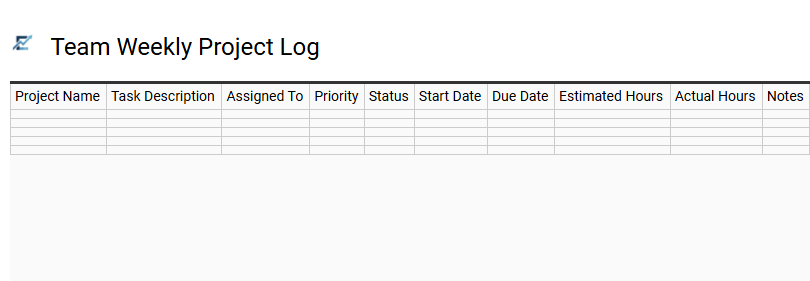
Team Weekly Project Log
A Team Weekly Project Log is a powerful Excel template designed to streamline group productivity and enhance accountability. By centralizing task assignments, deadlines, and completion statuses, this tool provides project managers with a clear overview of weekly progress. Using a structured spreadsheet helps identify bottlenecks early, ensures balanced workloads, and keeps every team member aligned on priority deliverables.
This organized approach to task tracking eliminates communication gaps and simplifies reporting during stakeholder updates. With built-in categories for owners and status indicators, teams can maintain a high-level perspective on long-term goals while managing daily operations effectively.
This template is ideal for managing software development sprints, coordinating multi-channel marketing campaigns, and overseeing departmental administrative workflows.
Download: 💾 Team Weekly Project Log .xls
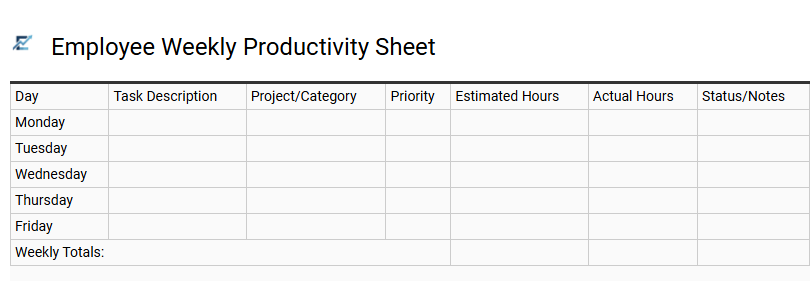
Employee Weekly Productivity Sheet
An Employee Weekly Productivity Sheet is a structured Excel template designed to streamline task management and performance monitoring. By documenting daily assignments, deadlines, and completion statuses, this tool provides a clear overview of individual output and time allocation. It helps teams maintain accountability, visualize progress toward key milestones, and identify potential workflow bottlenecks before they impact project timelines.
Featuring organized data fields and progress bars, the template simplifies reporting for both managers and staff. It serves as a centralized hub for tracking departmental goals, ensuring that high-priority tasks receive the necessary focus throughout the workweek to optimize overall efficiency.
This template is suitable for: remote team coordination, project milestone tracking, and annual performance review preparation.
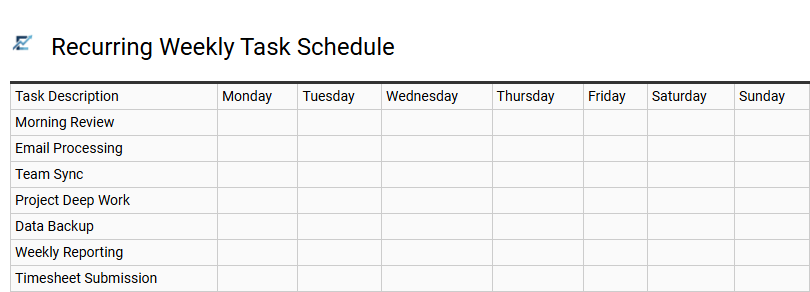
Recurring Weekly Task Schedule
A recurring weekly task schedule is a foundational element of any robust Excel tracking template. By documenting repetitive responsibilities-such as team meetings, report generation, or administrative maintenance-you eliminate the cognitive load of remembering routine duties. This structured approach ensures consistency, minimizes the risk of missed deadlines, and provides a clear visual overview of your weekly bandwidth.
Utilizing an Excel-based system allows for easy customization, enabling users to categorize tasks by priority or department while leveraging checkboxes to monitor progress in real-time. This method transforms a simple list into a dynamic productivity tool that improves workflow efficiency and accountability.
This template is ideal for social media content planning, facility maintenance checklists, and payroll processing workflows.
Download: 💾 Recurring Weekly Task Schedule .xls
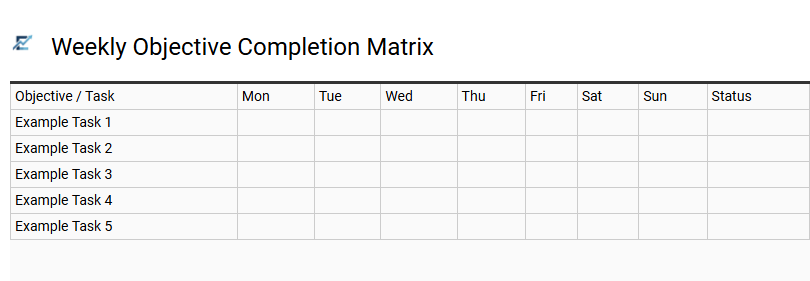
Weekly Objective Completion Matrix
A Weekly Objective Completion Matrix is a strategic Excel framework designed to align short-term tasks with overarching goals. This tool provides a visual representation of productivity, allowing users to track the status of multiple deliverables in a single, organized view. By categorizing objectives by priority and deadline, the matrix ensures that critical milestones are never overlooked.
Using such a structured template enhances accountability and helps identify potential bottlenecks before they impact project timelines. It serves as a dynamic roadmap, transforming a standard to-do list into a data-driven overview of progress. Whether used for personal growth or professional project management, this matrix facilitates better time allocation and consistent performance monitoring throughout the week.
This template is ideal for: managing agile software development sprints, tracking individual academic study plans, or monitoring weekly sales outreach targets.
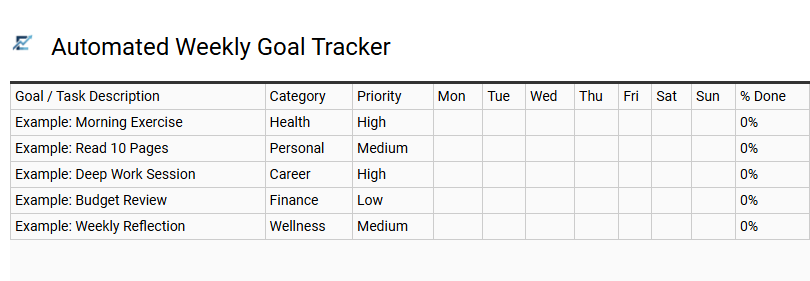
Automated Weekly Goal Tracker
An Automated Weekly Goal Tracker streamlines productivity by using dynamic Excel formulas to monitor task completion in real-time. This template eliminates the need for manual status updates by automatically calculating progress percentages and visualizing achievements through interactive progress bars or status indicators.
By organizing objectives into a structured weekly view, users can prioritize high-impact tasks and maintain strict accountability. The built-in automation ensures that as items are checked off, performance metrics update instantly, providing immediate feedback on workflow efficiency. This data-driven approach helps identify bottlenecks and ensures consistent progress toward long-term objectives without the burden of administrative overhead.
This template is ideal for freelance project management, academic study planning, or tracking departmental KPIs in a corporate environment.
Download: 💾 Automated Weekly Goal Tracker .xls
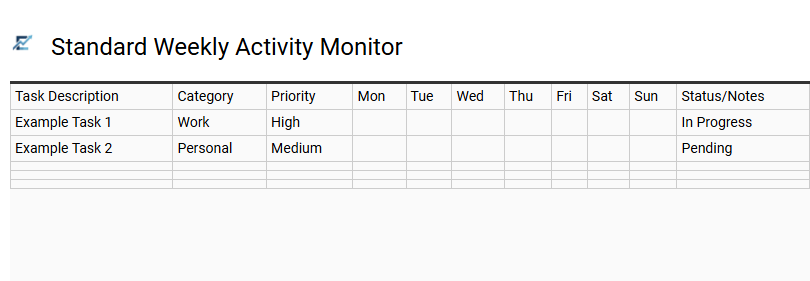
Standard Weekly Activity Monitor
A Standard Weekly Activity Monitor is a specialized Excel template designed to enhance productivity by organizing tasks within a clear, seven-day framework. This tool helps users categorize assignments, assign priorities, and track completion statuses in real-time. By centralizing all operational goals, it reduces cognitive load and ensures that critical deadlines are never missed.
The structured layout facilitates better time management through visual progress indicators and automated summaries. It provides a comprehensive overview of performance, allowing individuals and teams to identify bottlenecks and adjust their focus as needed. Utilizing this spreadsheet ensures a disciplined approach to task management, transforming complex to-do lists into manageable action plans.
This template is suitable for project management milestones, student academic planning, and corporate administrative workflows.
Download: 💾 Standard Weekly Activity Monitor .xls
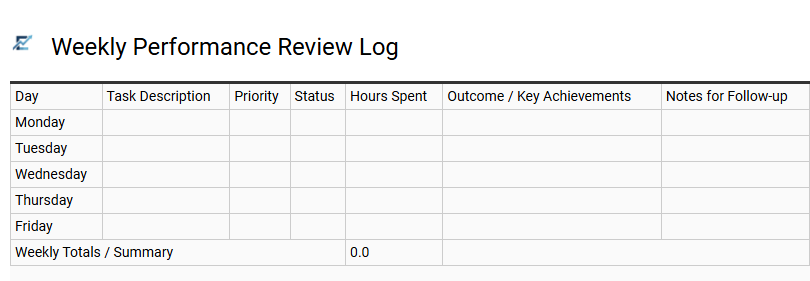
Weekly Performance Review Log
A Weekly Performance Review Log is a powerful component of an Excel task tracking system, designed to bridge the gap between daily activities and long-term goals. This log allows users to evaluate their productivity, document completed milestones, and identify recurring bottlenecks within a seven-day cycle.
By integrating this review into your workflow, you can transform raw task data into actionable insights. It fosters accountability and ensures that time allocation aligns with core priorities. Maintaining a consistent record helps in refining work habits, optimizing efficiency, and preparing for formal appraisals with data-backed evidence of achievement.
This template is ideal for project managers monitoring team deliverables, freelancers auditing weekly billable milestones, and department heads preparing for executive status updates.
Download: 💾 Weekly Performance Review Log .xls
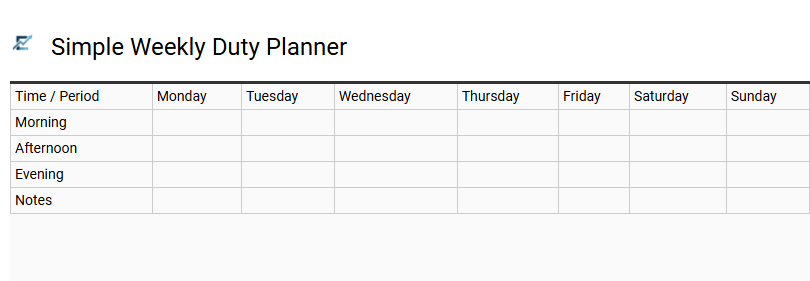
Simple Weekly Duty Planner
This Excel template streamlines your routine by organizing responsibilities into a clear, seven-day overview. Designed for maximum efficiency, it allows users to assign duties, set deadlines, and monitor completion status at a glance. By centralizing weekly goals, the planner reduces mental clutter and ensures no critical task is overlooked.
The structured layout promotes accountability and time management, making it easier to balance professional obligations with personal life. It serves as a versatile, lightweight tool for anyone looking to boost productivity without the need for complex project management software. This template is ideal for managing household chores, coordinating small team projects, or tracking student study schedules.
Download: 💾 Simple Weekly Duty Planner .xls
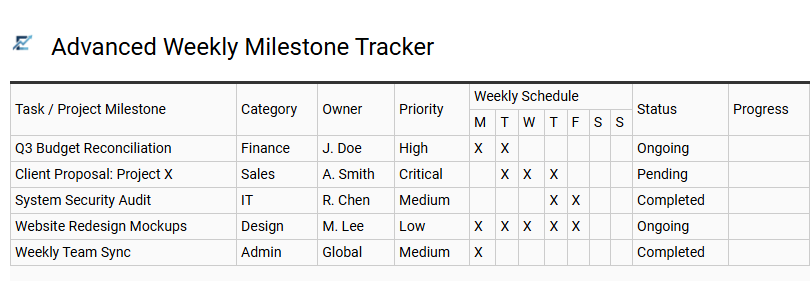
Advanced Weekly Milestone Tracker
The Advanced Weekly Milestone Tracker is a sophisticated Excel framework designed for professionals who require more than a simple checklist. This template utilizes automated progress bars, conditional formatting, and priority-status mapping to provide a comprehensive visual overview of your workweek. By bridging the gap between daily tasks and high-level objectives, it allows users to monitor key performance indicators (KPIs) and identify bottlenecks in real-time.
Optimized for efficiency, the tracker ensures that critical deadlines are met through dynamic data validation and time-tracking features. It transforms fragmented to-do lists into a streamlined roadmap, fostering accountability and data-driven decision-making. Whether managing individual workloads or coordinating small team efforts, this tool enhances productivity by keeping essential milestones at the forefront of the operational strategy.
This template is ideally suited for agile project management, academic research planning, and high-stakes corporate marketing campaigns.
Download: 💾 Advanced Weekly Milestone Tracker .xls
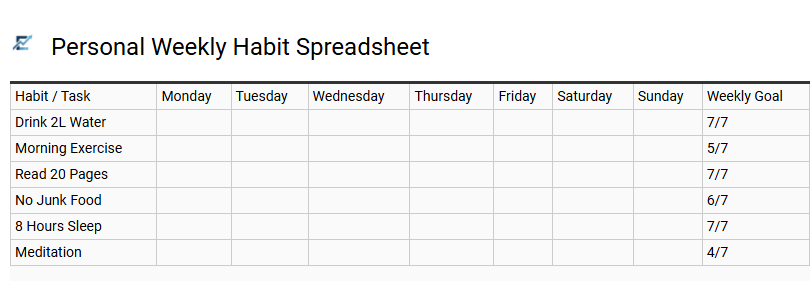
Personal Weekly Habit Spreadsheet
A personal weekly habit spreadsheet is a versatile productivity tool designed to streamline task management and behavioral tracking. By organizing goals into a structured weekly grid, users can visualize progress, maintain consistency, and identify patterns in their daily routines. This Excel-based solution allows for easy customization of categories, automated checkboxes, and data visualization through built-in charts to keep motivation high.
Utilizing such a template transforms abstract intentions into actionable data, ensuring every priority-from health to professional development-is addressed. It simplifies complex scheduling into manageable daily bites, fostering personal accountability and long-term discipline through clear performance metrics. This template is suitable for tracking fitness routines, monitoring language learning progress, or managing freelance project milestones.
Download: 💾 Personal Weekly Habit Spreadsheet .xls
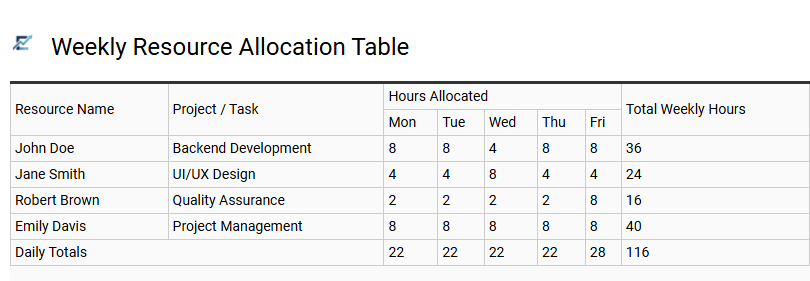
Weekly Resource Allocation Table
A Weekly Resource Allocation Table is a vital component of an Excel task tracker, designed to balance team workloads and manage project assets effectively. This tool provides a comprehensive overview of how time, personnel, and equipment are distributed across various activities throughout a seven-day cycle. By visualizing capacity against demand, managers can prevent over-allocation, identify potential bottlenecks, and ensure that critical deadlines remain achievable.
This systematic approach to resource management enhances transparency and promotes accountability, allowing for data-driven adjustments to maintain peak productivity. Integrating this table into your workflow ensures that every hour is utilized efficiently while keeping project goals on track.
This template is perfectly suited for managing software development sprints, coordinating creative agency marketing campaigns, and overseeing construction site labor schedules.
Download: 💾 Weekly Resource Allocation Table .xls
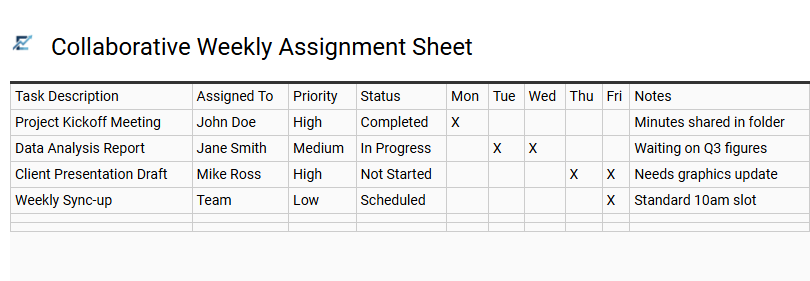
Collaborative Weekly Assignment Sheet
The Collaborative Weekly Assignment Sheet is a dynamic Excel-based solution designed to enhance team productivity through centralized task management. By utilizing a shared digital workspace, teams can assign ownership, establish clear deadlines, and track real-time progress across various workstreams. This template improves organizational transparency, ensuring all stakeholders stay aligned on high-priority deliverables and upcoming milestones.
Incorporating semantic features such as data validation for status updates and conditional formatting for deadline alerts helps teams identify bottlenecks early. This fosters a culture of accountability and streamlines communication, making it an essential asset for teams aiming to achieve peak operational efficiency.
This template is perfectly suited for small marketing agencies managing monthly content calendars, software development teams tracking weekly sprint cycles, and administrative departments coordinating recurring office maintenance duties.
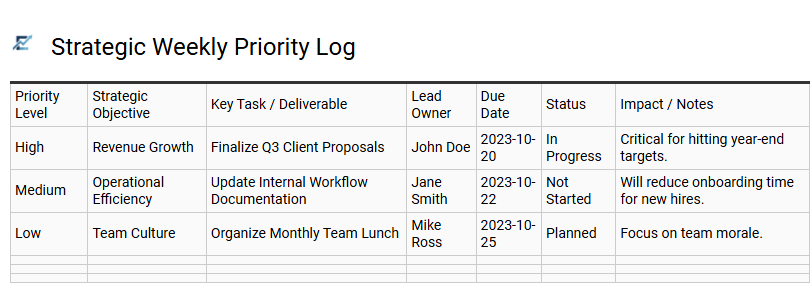
Strategic Weekly Priority Log
A Strategic Weekly Priority Log is a high-level Excel template designed to bridge the gap between daily execution and long-term objectives. Unlike a standard checklist, this tool prioritizes tasks based on their impact, urgency, and alignment with core business goals. By utilizing structured data entry, the template allows users to visualize workload distribution, track completion percentages, and identify potential bottlenecks before they escalate.
Using an Excel-based system provides the flexibility of data sorting, automated progress bars, and historical performance tracking. This systematic approach ensures that high-value activities remain the primary focus, preventing "busy work" from consuming the work week. It transforms a simple task list into a powerful analytical tool for improving personal and professional efficiency.
This template is ideal for project managers overseeing weekly sprint cycles, freelancers managing multiple client deliverables, and department heads tracking team OKRs.
Download: 💾 Strategic Weekly Priority Log .xls
Streamlining your workflow requires precision. An efficient weekly task management Excel template serves as a powerful tool for enhanced productivity. By integrating structured progress tracking and action item prioritization, users achieve superior organizational efficiency. This spreadsheet solution simplifies complex project planning, ensuring consistent deadline monitoring. Implementing a robust time management system reduces cognitive load and optimizes daily output. Ultimately, leveraging a specialized Excel framework transforms chaotic to-do lists into a streamlined roadmap for sustained professional success and consistent goal attainment.