
Comprehensive USPS Shipment Tracking and Management Excel Template
Managing multiple shipments can be overwhelming without a structured system. An Excel template for tracking USPS simplifies your shipping workflow by organizing tracking numbers, delivery statuses, and transit dates in one central location. Using a custom automated spreadsheet allows you to monitor high-volume postal data and streamline logistics efficiency. This tool is essential for small businesses needing real-time parcel management and accurate shipping reports. Please explore the professionally designed variations of templates provided below to optimize your tracking process.
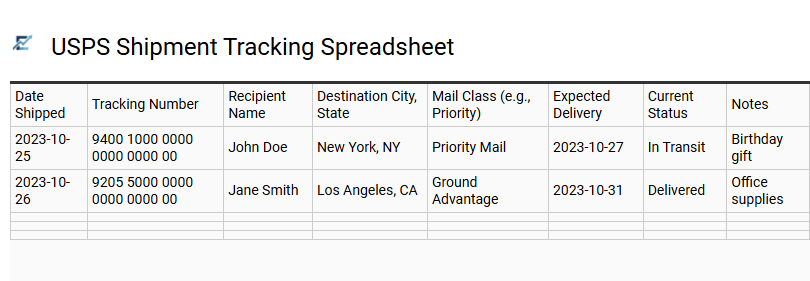
USPS Shipment Tracking Spreadsheet
A USPS shipment tracking spreadsheet is a powerful Excel-based tool designed to centralize and automate the monitoring of multiple packages. By organizing tracking numbers, recipient details, and transit milestones in one location, users can bypass the inefficiency of manual web searches. This template provides real-time visibility into the shipping pipeline, allowing for proactive management of delivery delays and accurate record-keeping for e-commerce logistics. Utilizing Excel formulas or data connections, these spreadsheets help maintain a clear audit trail for postage expenses and customer fulfillment history.
This tracking template is perfectly suited for e-commerce entrepreneurs managing daily customer orders, administrative assistants coordinating bulk corporate mailings, and homeowners monitoring multiple personal relocation boxes or holiday shipments.
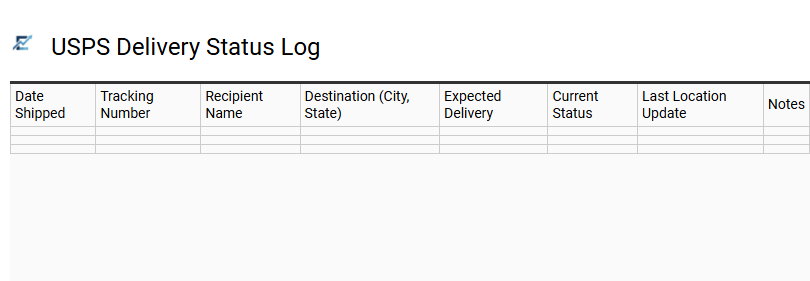
USPS Delivery Status Log
A USPS Delivery Status Log in Excel is an essential tool for streamlining shipment management. This template centralizes tracking numbers, recipient details, and real-time transit updates within a single, organized spreadsheet. By documenting shipment dates and expected delivery windows, users can proactively monitor progress and identify potential delays.
Utilizing Excel's sorting and filtering functions allows you to categorize parcels by status-such as "In Transit," "Out for Delivery," or "Delivered"-ensuring total visibility over your logistics. This systematic approach minimizes manual errors and provides a reliable audit trail for postage expenses and carrier reliability.
This template is ideal for small e-commerce businesses managing customer orders, households tracking holiday gift shipments, and office managers overseeing inbound supply deliveries.
Download: 💾 USPS Delivery Status Log .xls
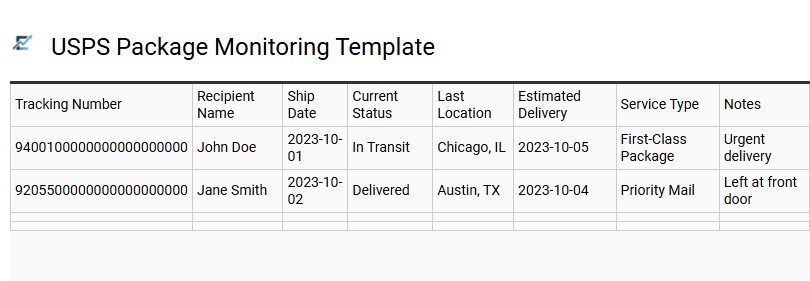
USPS Package Monitoring Template
A USPS Package Monitoring Template in Excel provides a centralized hub for managing multiple shipments efficiently. By organizing tracking numbers, recipient details, and real-time status updates within a structured spreadsheet, users eliminate the manual hassle of checking individual tracking pages. This template typically features columns for delivery milestones, estimated arrival dates, and shipping costs, allowing for superior logistics management and historical record-keeping.
Utilizing such a tool ensures that no package goes unaccounted for, providing clear visibility into the entire delivery lifecycle. Whether you are managing outbound inventory or incoming personal mail, this digital log streamlines the shipping process and improves overall organizational productivity.
This template is ideal for e-commerce entrepreneurs managing customer orders, office managers overseeing corporate logistics, and high-volume online shoppers tracking seasonal gift deliveries.
Download: 💾 USPS Package Monitoring Template .xls
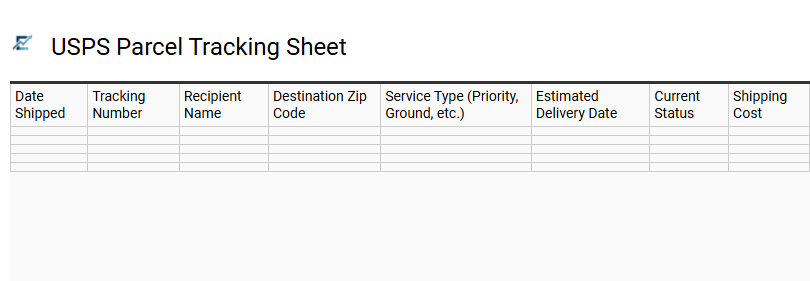
USPS Parcel Tracking Sheet
A USPS Parcel Tracking Sheet is a specialized Excel template designed to centralize and automate the monitoring of multiple shipments. By organizing tracking numbers, recipient information, and shipping dates in one spreadsheet, users can maintain a high-level overview of their logistics. This tool eliminates the inefficiency of manual searches by providing a structured layout for status updates, such as "In Transit," "Delivered," or "Exceptions."
Utilizing a tracking template ensures data accuracy, improves time management, and offers a reliable historical record of all USPS mail activity for auditing or customer service purposes. This template is ideal for small e-commerce businesses managing customer orders, individuals tracking seasonal holiday gifts, and office managers coordinating high-volume corporate correspondence.
Download: 💾 USPS Parcel Tracking Sheet .xls
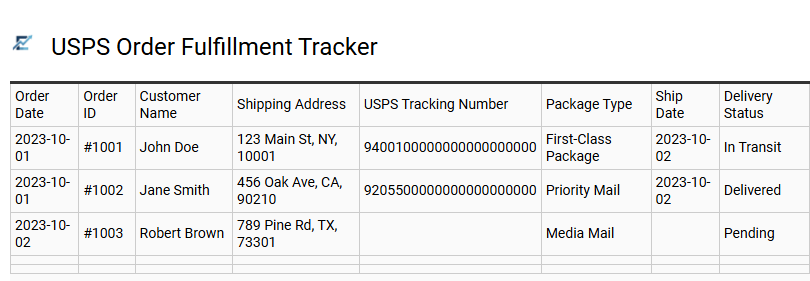
USPS Order Fulfillment Tracker
A USPS Order Fulfillment Tracker is an essential Excel template designed to streamline your shipping logistics and inventory management. This tool allows businesses to centralize tracking numbers, monitor delivery statuses, and record postage expenses in one organized spreadsheet. By utilizing automated formulas, users can calculate transit times and identify potential delays before they impact customer satisfaction.
Implementing a structured tracking system ensures that every package-from First-Class Mail to Priority Express-is accounted for from departure to final delivery. This data-driven approach helps small businesses optimize their fulfillment workflow, manage shipping budgets, and provide accurate updates to clients.
This template is ideal for e-commerce small businesses, Etsy sellers managing high order volumes, and non-profit organizations coordinating large-scale direct mail campaigns.
Download: 💾 USPS Order Fulfillment Tracker .xls
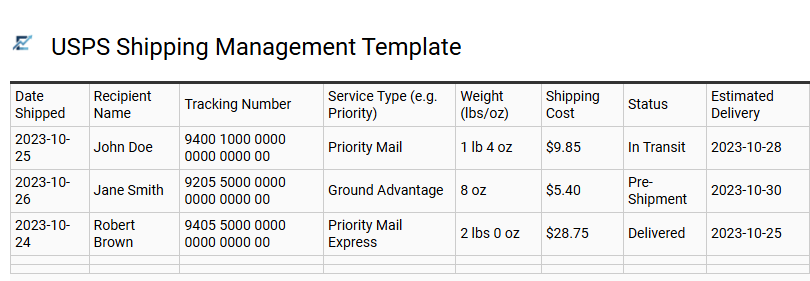
USPS Shipping Management Template
A USPS shipping management template for Excel provides a structured framework for businesses and individuals to monitor outgoing packages and mail. This tool streamlines logistics by centralizing critical data such as tracking numbers, postage costs, recipient information, and delivery statuses. By leveraging spreadsheet features like conditional formatting and automated formulas, users can quickly identify shipment delays, calculate monthly shipping expenses, and maintain an organized history of all USPS transactions.
This organized approach minimizes manual errors, enhances operational efficiency, and ensures superior customer service through accurate delivery reporting. It serves as an accessible, cost-effective solution for those requiring professional logistics oversight without the need for expensive proprietary software.
This template is perfectly suited for e-commerce sellers managing daily orders, small business owners tracking inventory returns, and administrative offices overseeing high-volume corporate correspondence.
Download: 💾 USPS Shipping Management Template .xls
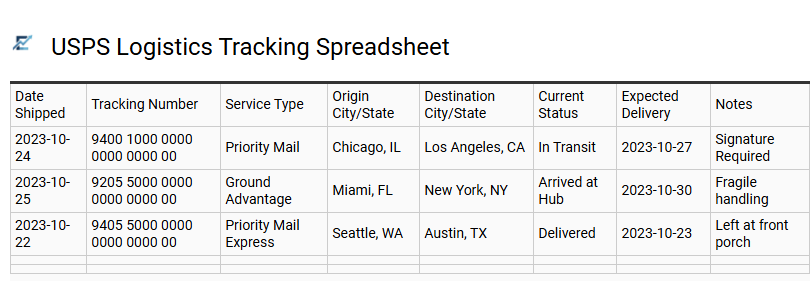
USPS Logistics Tracking Spreadsheet
A USPS Logistics Tracking Spreadsheet is a powerful Excel-based tool designed to centralize and monitor United States Postal Service shipments in one organized dashboard. This template allows users to log tracking numbers, postage costs, recipient information, and delivery statuses, providing a clear overview of the entire shipping lifecycle. By using a structured format, businesses can proactively identify transit delays, manage shipping budgets, and maintain a historical record of all outbound and inbound mail.
Integrating this spreadsheet into your workflow improves operational efficiency by eliminating the need for individual manual lookups on the USPS website. This template is suitable for small e-commerce businesses managing daily customer orders, non-profit organizations coordinating large-scale direct mail campaigns, and online collectors tracking frequent high-value inventory arrivals.
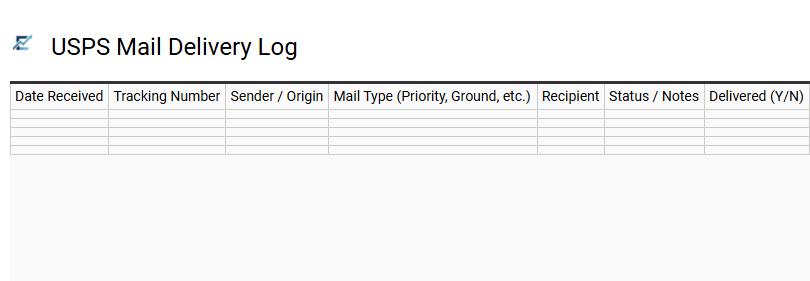
USPS Mail Delivery Log
A USPS Mail Delivery Log is a specialized Excel template designed to streamline the management of all incoming and outgoing postal shipments. By centralizing tracking numbers, sender details, and delivery statuses in one digital spreadsheet, users can monitor the real-time progress of their mail efficiently. This log provides a reliable audit trail, reduces the risk of lost items, and allows for quick filtering to identify delayed packages. Leveraging Excel's data organization capabilities ensures that businesses and individuals maintain accurate records for budgeting, accountability, and verification purposes.
This kind of template is suitable for small business owners managing customer orders, administrative assistants overseeing corporate mailrooms, and individuals tracking sensitive legal or medical documents.
Download: 💾 USPS Mail Delivery Log .xls
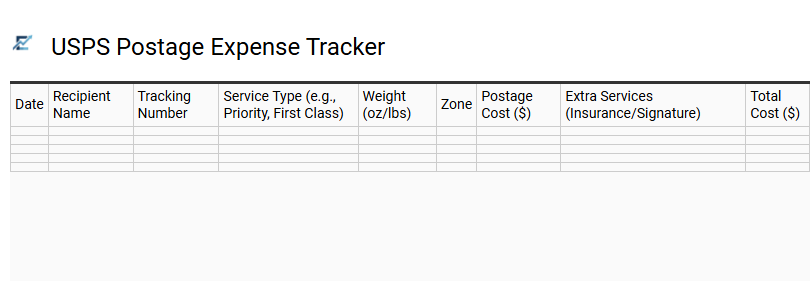
USPS Postage Expense Tracker
Efficiently managing shipping costs is vital for maintaining financial accuracy. A USPS Postage Expense Tracker Excel template provides a structured way to record mailing dates, tracking numbers, recipient information, and exact postage fees. By centralizing this data, you can monitor shipping trends, verify delivery statuses, and simplify your accounting processes.
This organized approach ensures every shipping cost is accounted for, offering a clear overview of logistics expenditures and keeping your business records audit-ready. Using a spreadsheet for USPS tracking streamlines financial reporting and helps optimize your shipping budget.
This template is ideal for e-commerce sellers managing daily shipments, small business owners calculating quarterly tax deductions, and nonprofit organizations tracking direct mail campaign costs.
Download: 💾 USPS Postage Expense Tracker .xls
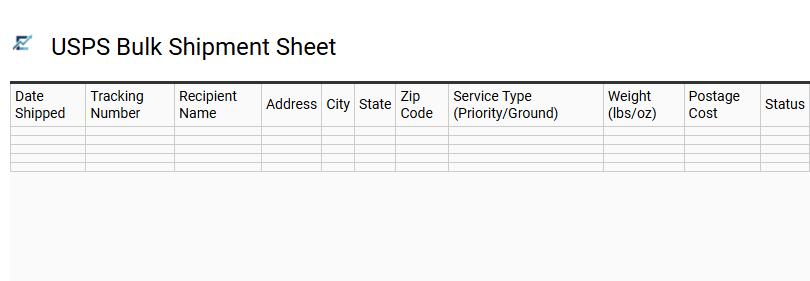
USPS Bulk Shipment Sheet
A USPS Bulk Shipment Sheet is a specialized Excel template designed to streamline the management of high-volume logistics. By centralizing tracking numbers, delivery statuses, and recipient information into a single spreadsheet, it allows users to monitor hundreds of packages simultaneously. This tool eliminates the tedious process of manual entry on carrier websites, offering a comprehensive overview of transit times, shipping costs, and potential delivery delays.
Using a structured tracking sheet improves operational efficiency and ensures data accuracy for reporting and customer service inquiries. It is an essential resource for anyone needing to maintain real-time visibility over complex outbound mailings.
This kind of template is suitable for e-commerce sellers managing daily order fulfillment, non-profit organizations coordinating large-scale donation mailings, and corporate administrative offices handling nationwide equipment distribution.
Download: 💾 USPS Bulk Shipment Sheet .xls
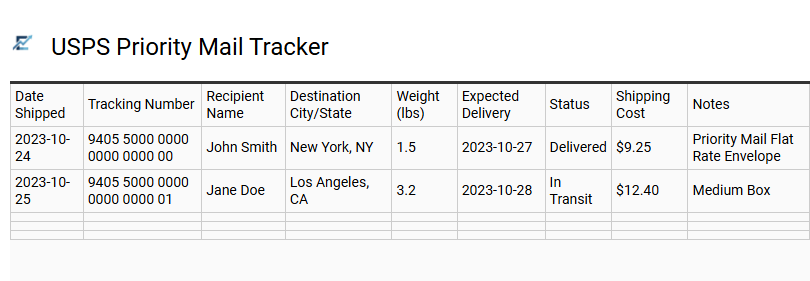
USPS Priority Mail Tracker
A dedicated USPS Priority Mail Tracker Excel template provides an efficient way to organize and monitor your time-sensitive shipments. By centralizing tracking numbers, shipping dates, and real-time delivery statuses in a single spreadsheet, you can avoid the hassle of manual individual searches. This tool is designed to enhance logistical visibility, allowing users to input data and instantly view progress across multiple parcels. Using a template ensures that critical information, such as recipient details and estimated arrival times, remains organized and accessible for historical record-keeping or customer service inquiries.
This kind of template is suitable for small business owners managing e-commerce fulfillment, administrative offices tracking sensitive legal documents, and individuals monitoring high-value seasonal gift shipments.
Download: 💾 USPS Priority Mail Tracker .xls
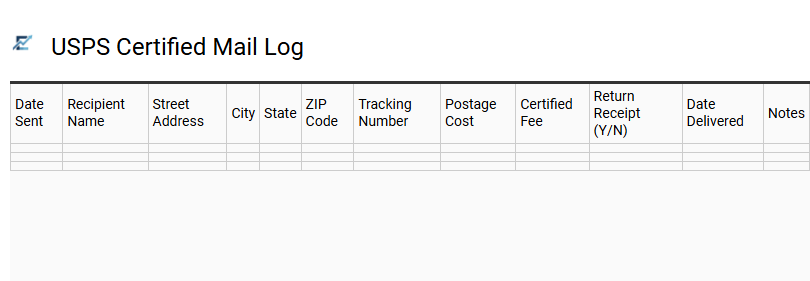
USPS Certified Mail Log
A USPS Certified Mail Log is an essential Excel template for businesses and individuals requiring a verifiable record of sent correspondence. This spreadsheet organizes critical data, including tracking numbers, recipient details, postage costs, and delivery timestamps. By utilizing a centralized log, you can easily monitor the real-time status of legal notices or sensitive documents, ensuring compliance and peace of mind.
The template serves as a digital backup to physical receipts, streamlining audits and internal record-keeping processes. It simplifies the management of high-volume mailings by consolidating tracking links and delivery confirmations in one accessible file, making it easy to identify delays or missing items.
This kind of template is suitable for legal firms managing court filings, real estate agencies sending official notices, and accounting offices dispatching sensitive financial documents.
Download: 💾 USPS Certified Mail Log .xls
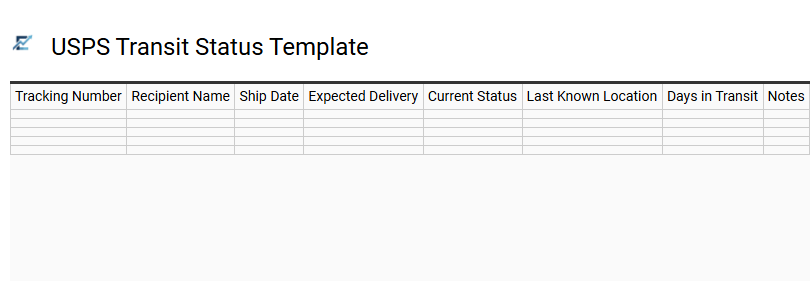
USPS Transit Status Template
A USPS Transit Status Template for Excel streamlines the management of shipping logistics by centralizing tracking data into a single, organized spreadsheet. This tool allows users to monitor real-time delivery progress, identify transit delays, and maintain a comprehensive history of all shipments. By categorizing information such as tracking numbers, current status updates, and estimated delivery dates, it removes the inefficiency of manual individual searches on the carrier's website. Utilizing an Excel-based system provides a clear visual overview of your supply chain or personal mail flow, ensuring better time management and document security.
This template is ideal for e-commerce sellers managing bulk customer orders, corporate mailrooms tracking sensitive legal documents, and individuals monitoring multiple high-value personal holiday shipments.
Download: 💾 USPS Transit Status Template .xls
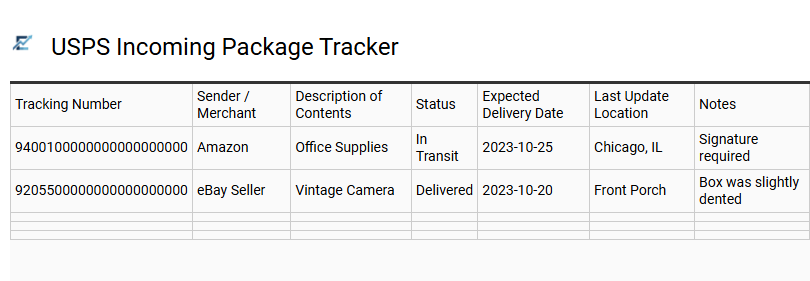
USPS Incoming Package Tracker
An Excel template for tracking USPS shipments provides a centralized dashboard to monitor all incoming mail and parcels effectively. By utilizing a structured spreadsheet, you can organize tracking numbers, delivery statuses, sender details, and estimated arrival dates in one accessible location. This streamlined approach to shipping logistics helps users stay ahead of potential delays and verify the receipt of goods without the need to manually check individual tracking pages repeatedly.
Whether you are managing personal orders or professional inventory, a dedicated tracking spreadsheet ensures visibility and data accuracy throughout the transit process. This template is highly suitable for e-commerce entrepreneurs managing customer returns, office administrators supervising incoming supply deliveries, and frequent online shoppers coordinating high volumes of domestic packages.
Download: 💾 USPS Incoming Package Tracker .xls
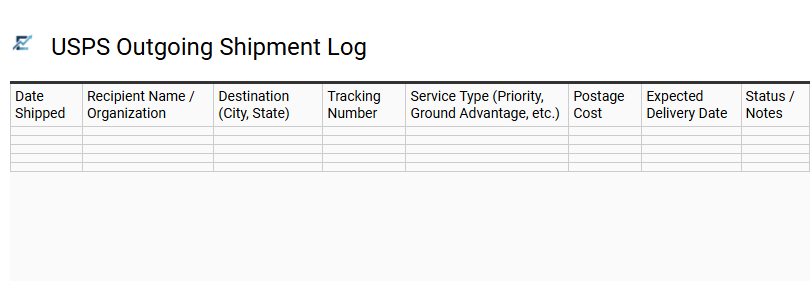
USPS Outgoing Shipment Log
A USPS Outgoing Shipment Log is a specialized Excel template designed to streamline the management of all mail and packages leaving your facility. By centralizing essential data such as tracking numbers, recipient information, postage costs, and dispatch dates, this log provides a comprehensive overview of your logistics workflow.
Implementing a digital log enhances organizational efficiency, simplifies expense reporting for tax purposes, and ensures a reliable audit trail for insurance claims or customer inquiries. Using structured data allows for better monitoring of delivery timelines and helps businesses maintain accurate records of their shipping expenditures.
This template is highly suitable for small e-commerce businesses fulfilling daily orders, administrative offices managing corporate correspondence, and non-profit organizations coordinating large-scale donor mailings.
Download: 💾 USPS Outgoing Shipment Log .xls
This comprehensive USPS Shipment Tracking and Management Excel Template streamlines your logistics workflow by providing a centralized dashboard for real-time delivery status monitoring. Users can efficiently organize bulk shipping data, track package progress, and automate mailing logs within a powerful spreadsheet interface. By integrating automated tracking updates, this tool minimizes manual entry errors and enhances overall supply chain transparency. Optimize your shipping operations today with this robust solution designed for professional package management and accurate delivery documentation.