
Comprehensive Excel Purchase Tracking Spreadsheet for Business Expense Management
Managing business procurement requires precision and real-time visibility. An Excel template for tracking purchases offers a streamlined solution for maintaining detailed procurement logs and monitoring spending habits efficiently. These spreadsheet tools leverage automated formulas to simplify budget management and inventory control, ensuring accurate data analysis. By centralizing order history and vendor details, you can optimize financial oversight and reduce manual entry errors significantly. Discover the ideal layout for your workflow and check the already made variation of templates below.
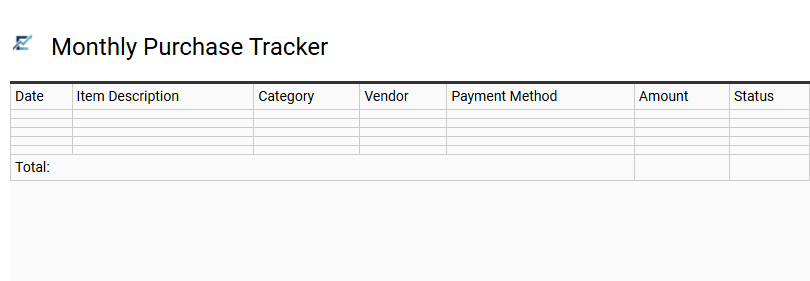
Monthly Purchase Tracker
A Monthly Purchase Tracker is a powerful Excel tool designed to streamline financial oversight by documenting every transaction in a centralized location. By recording essential data such as purchase dates, vendors, categories, and costs, users gain a clear visualization of their spending habits and monthly cash flow. Utilizing automated formulas allows for real-time budget monitoring and simplified data analysis, ensuring that expenditures remain within defined limits. This structured approach to record-keeping not only enhances financial discipline but also simplifies documentation for tax preparation and auditing purposes.
This kind of template is suitable for managing small business inventory procurement, tracking monthly household grocery expenses, or monitoring reimbursable costs for freelance projects.
Download: 💾 Monthly Purchase Tracker .xls
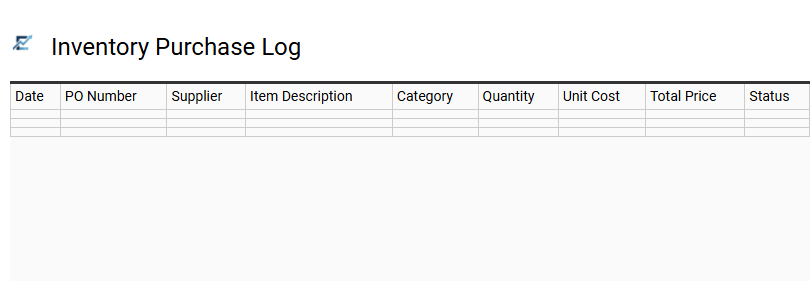
Inventory Purchase Log
An Inventory Purchase Log is a specialized Excel tool designed to streamline the procurement process. It serves as a centralized digital ledger where businesses can systematically record every transaction, capturing essential data such as order dates, supplier information, SKU details, quantities, and unit costs. By using this template, you can automate total expenditure calculations, monitor price fluctuations over time, and ensure your financial records align with physical stock levels.
Maintaining an accurate purchase log is crucial for optimizing cash flow, identifying reliable vendors, and simplifying tax preparation. It provides the historical insights necessary to predict future demand and prevent costly overstocking or stockouts. This structured documentation ensures transparency across your supply chain and improves overall inventory management efficiency.
This template is ideal for small retail shops managing shelf stock, restaurant owners tracking food ingredients, and e-commerce sellers monitoring bulk warehouse arrivals.
Download: 💾 Inventory Purchase Log .xls
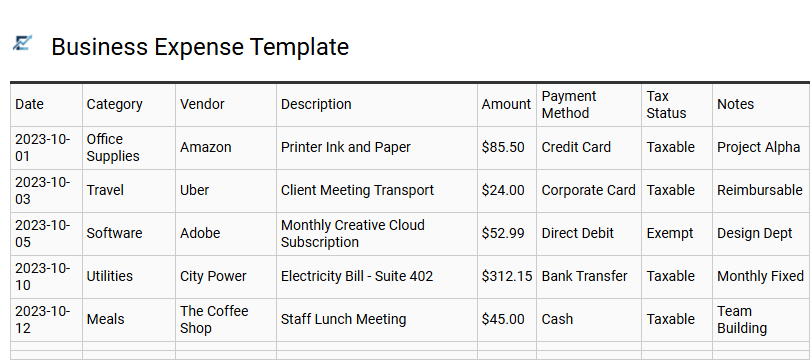
Business Expense Template
A Business Expense Template is an essential tool for maintaining financial clarity and accountability. This Excel-based solution allows organizations to log every purchase systematically, categorizing spending into groups such as office supplies, travel, or software subscriptions. By centralizing transaction data, businesses can monitor cash flow in real-time, ensure budget compliance, and significantly streamline tax preparation.
These templates provide a clear audit trail, helping to identify cost-saving opportunities and prevent unauthorized expenditures. Using a structured purchase log simplifies complex accounting workflows, making it easier for stakeholders to analyze fiscal health and plan future investments with confidence.
This template is suitable for: small business owners tracking monthly overhead, freelancers managing project-specific billable costs, and department managers monitoring annual budget allocations.
Download: 💾 Business Expense Template .xls
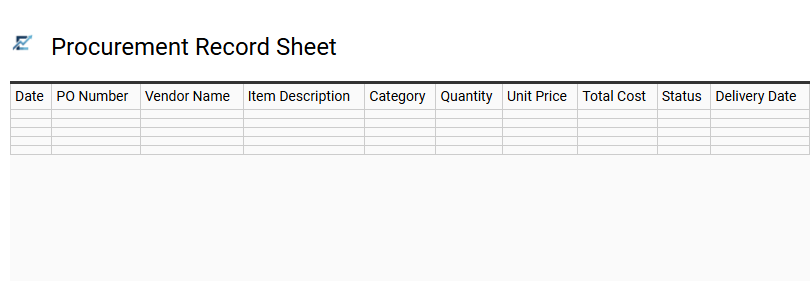
Procurement Record Sheet
A Procurement Record Sheet is a specialized Excel template designed to centralize and streamline the tracking of all business acquisitions. By documenting essential data points such as order dates, vendor information, item descriptions, and total expenditures, this tool provides a transparent audit trail for every transaction.
Using this template helps organizations maintain strict budget control, monitor supplier performance, and ensure delivery timelines are met. It minimizes manual errors by providing a structured framework for data entry, making it easier to analyze spending patterns and optimize procurement strategies. This systematic approach is vital for maintaining financial accountability and operational efficiency within any purchasing department.
This template is highly suitable for managing small business inventory, tracking recurring office supply orders, or monitoring material costs for construction projects.
Download: 💾 Procurement Record Sheet .xls
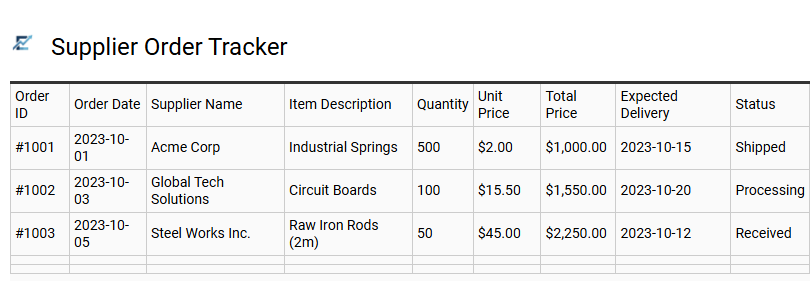
Supplier Order Tracker
A Supplier Order Tracker is a specialized Excel template designed to streamline your procurement process by centralizing all purchase data. This tool allows businesses to monitor order statuses, manage lead times, and control expenditures from a single dashboard. By recording essential details like order dates, vendor contact information, unit costs, and delivery milestones, you gain full visibility over your supply chain.
Implementing this tracker helps prevent inventory shortages, reduces manual entry errors, and simplifies financial reconciliation. It is an indispensable resource for maintaining organized records and optimizing vendor relationships to ensure long-term operational efficiency.
This template is ideal for retail inventory replenishment, construction material sourcing, and restaurant ingredient procurement.
Download: 💾 Supplier Order Tracker .xls
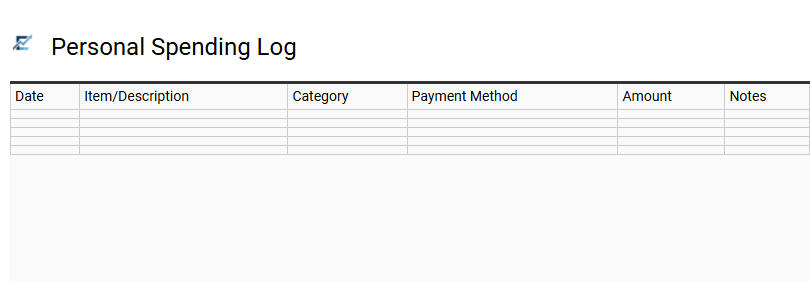
Personal Spending Log
A personal spending log is a robust Excel-based tool designed to provide total transparency over your financial habits. By recording every transaction, users can accurately categorize expenses-such as housing, groceries, and entertainment-to identify exactly where their money is being allocated. This template streamlines bookkeeping by using automated formulas to calculate monthly totals and remaining balances against a set budget.
Beyond simple data entry, a digital log allows for easy filtering and historical analysis, helping you spot trends and reduce unnecessary overhead. Maintaining a structured record of purchases ensures better cash flow management and helps you reach long-term savings goals faster.
This template is highly suitable for managing a monthly household budget, tracking reimbursable business travel expenses, or monitoring a college student's semester allowance.
Download: 💾 Personal Spending Log .xls
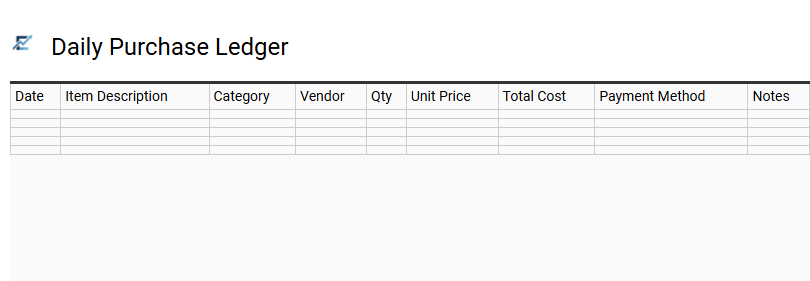
Daily Purchase Ledger
A Daily Purchase Ledger is a specialized Excel template designed for the real-time tracking of financial acquisitions. By systematically logging expenditures as they occur, users maintain precise control over cash flow and departmental budgets. This digital ledger typically includes columns for transaction dates, supplier names, item descriptions, and payment statuses, facilitating streamlined data analysis and simplified tax reporting. Utilizing such a template ensures every expense is documented, helping to identify spending patterns and reduce unnecessary overhead. It acts as a foundational document for accurate bookkeeping and long-term financial planning.
This template is perfectly suited for small business inventory management, freelancer project expense tracking, and household monthly budget monitoring.
Download: 💾 Daily Purchase Ledger .xls
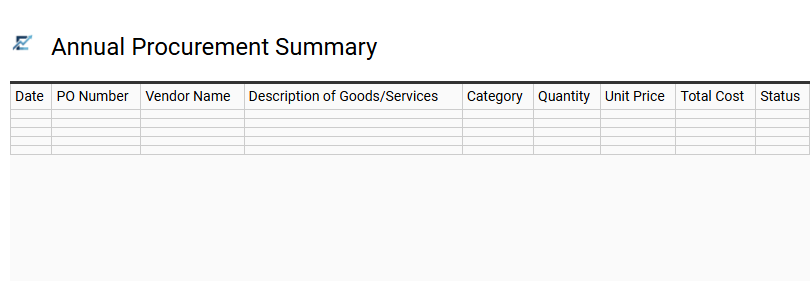
Annual Procurement Summary
An Annual Procurement Summary serves as the strategic dashboard within your Excel purchase tracking template. This section consolidates monthly transaction data to provide a comprehensive overview of total expenditure, vendor performance, and budget utilization over the fiscal year. By analyzing year-to-date figures, stakeholders can identify cost-saving trends, optimize supply chain efficiency, and ensure financial compliance across the organization.
Utilizing automated formulas and data visualizations, the summary transforms raw procurement logs into actionable insights regarding category-specific spending and seasonal fluctuations. This high-level visibility is essential for making informed, data-driven decisions during contract negotiations and future budget planning cycles.
Sample use cases for this template include small business operational expense tracking, corporate department budget management, and non-profit inventory procurement.
Download: 💾 Annual Procurement Summary .xls
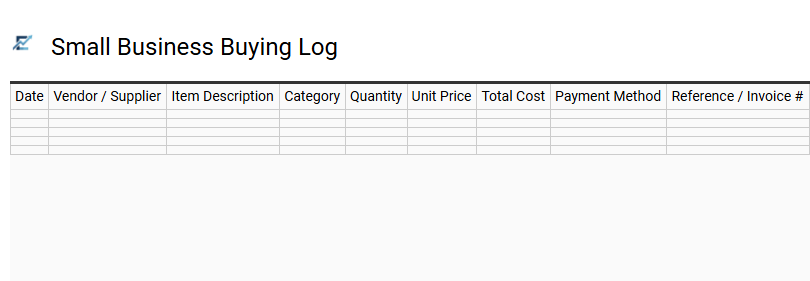
Small Business Buying Log
A Small Business Buying Log is an essential tool for maintaining precise financial oversight. Utilizing an Excel template for tracking purchases enables business owners to document every expenditure, from raw materials to daily overhead, in a centralized digital ledger. This structured approach helps monitor cash flow, manage vendor relationships, and simplify end-of-year tax preparation by keeping all receipts and transaction data organized.
By recording key data such as purchase dates, supplier details, item categories, and total costs, you can easily identify spending trends and optimize your procurement strategy. Staying organized with a dedicated buying log ensures budget compliance and prevents costly duplicate orders.
This template is perfectly suited for managing retail inventory restocking, tracking recurring office supply costs, or documenting raw material procurement for a small manufacturing workshop.
Download: 💾 Small Business Buying Log .xls
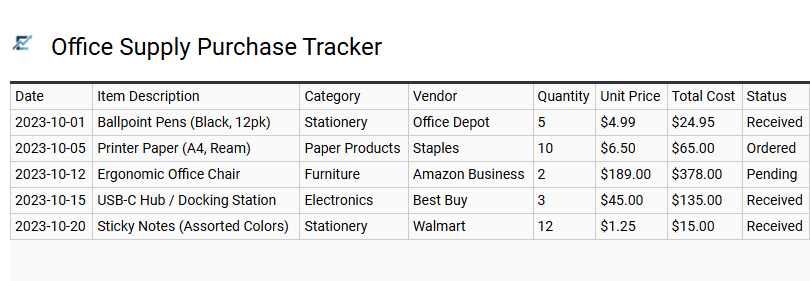
Office Supply Purchase Tracker
An Office Supply Purchase Tracker is an essential Excel tool designed to monitor procurement activities, manage budgets, and maintain optimal inventory levels. By systematically logging item names, quantities, unit prices, and supplier details, businesses can gain real-time visibility into spending patterns and avoid costly duplicate orders.
Utilizing this structured format streamlines the financial reconciliation process, ensures accountability across departments, and guarantees that essential stationery and equipment are always available when needed. It serves as a centralized database for analyzing vendor performance and identifying opportunities for volume discounts or cost-saving measures.
This template is suitable for small business administrative management, corporate department budget monitoring, and non-profit organizational supply oversight.
Download: 💾 Office Supply Purchase Tracker .xls
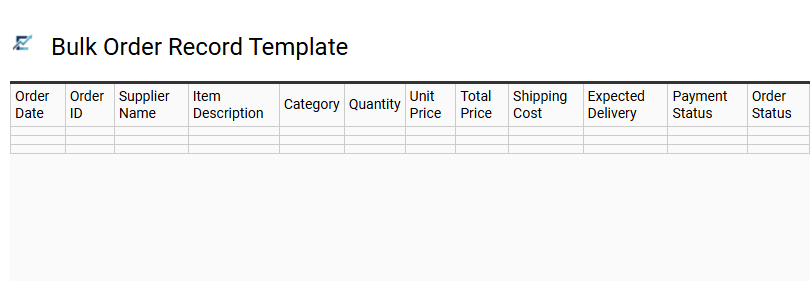
Bulk Order Record Template
Managing high-volume procurement requires precision and organization. A bulk order record template in Excel provides a centralized system to track large-scale purchases, ensuring transparency across your supply chain. By recording essential data points such as SKU numbers, supplier contact details, unit costs, and shipment status, businesses can monitor spending trends and maintain optimal inventory levels.
This structured approach minimizes manual data entry errors and simplifies financial reconciliation during tax season or audits. Utilizing a dedicated spreadsheet allows for easy filtering and historical reporting, making it an indispensable tool for operations that demand consistent stock replenishment and strict budget oversight.
This template is suitable for restaurant ingredient sourcing, office supply replenishment, and e-commerce inventory restocking.
Download: 💾 Bulk Order Record Template .xls
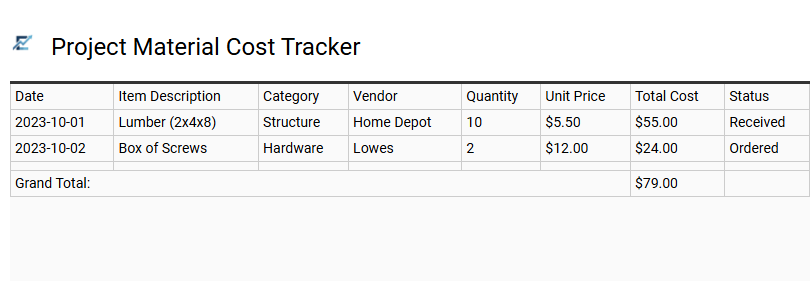
Project Material Cost Tracker
Streamline your procurement process with a dedicated Excel Project Material Cost Tracker. This specialized template allows you to monitor every expense, vendor detail, and inventory level in real-time. By systematically recording purchase orders, unit prices, and quantities, you gain full visibility into your budget allocation and remaining funds.
The spreadsheet format utilizes built-in formulas to automatically calculate totals, taxes, and shipping fees, eliminating manual errors. Centralizing your purchase data ensures financial accountability and provides a clear audit trail for stakeholders. This tool is essential for maintaining profitability and ensuring that your project stays within its financial constraints from inception to completion.
This template is perfectly suited for home renovation projects, small business inventory restocking, and large-scale construction site management.
Download: 💾 Project Material Cost Tracker .xls
Vendor Payment Record
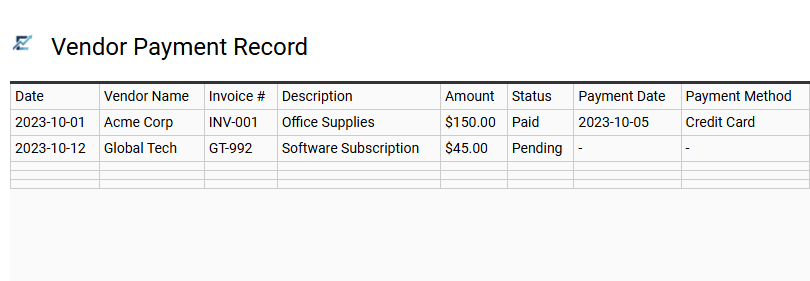
A Vendor Payment Record is a critical component of any Excel purchase tracking template, serving as a centralized ledger for all supplier transactions. This section allows businesses to document invoice numbers, payment dates, disbursement methods, and total amounts paid. By maintaining an accurate record, you can easily monitor outstanding balances, avoid late fees, and ensure financial transparency during audits.
Systematically logging these details helps in reconciling bank statements and managing cash flow effectively. It provides a clear overview of your accounts payable, helping to strengthen supplier relationships through timely settlements and preventing duplicate payments.
This template is ideal for small business inventory management, freelance project expense tracking, and restaurant ingredient procurement.
Download: 💾 Vendor Payment Record .xls
Budgeted Purchase Worksheet
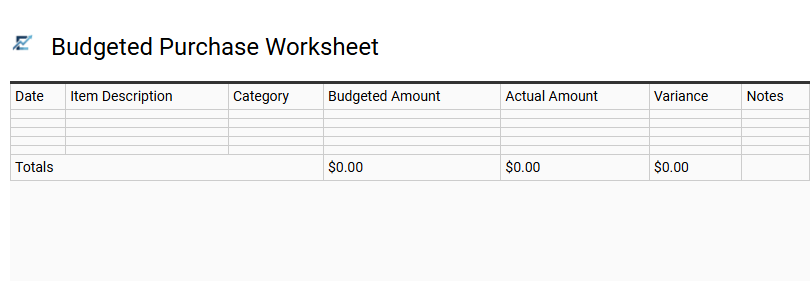
A Budgeted Purchase Worksheet is a strategic financial tool designed to bridge the gap between planned spending and actual expenditures. By utilizing this Excel template, users can systematically log anticipated costs alongside real-time purchase data, ensuring complete transparency over their cash flow. This proactive approach to expense management allows for immediate variance analysis, helping you identify potential overages before they impact your bottom line.
The template typically features structured columns for item descriptions, categories, estimated prices, and final costs. This organized layout simplifies procurement tracking and promotes fiscal accountability for both personal and professional projects.
This template is perfectly suited for managing home renovation projects, coordinating corporate office supply procurement, or planning large-scale event logistics.
Download: 💾 Budgeted Purchase Worksheet .xls
Asset Acquisition Tracker
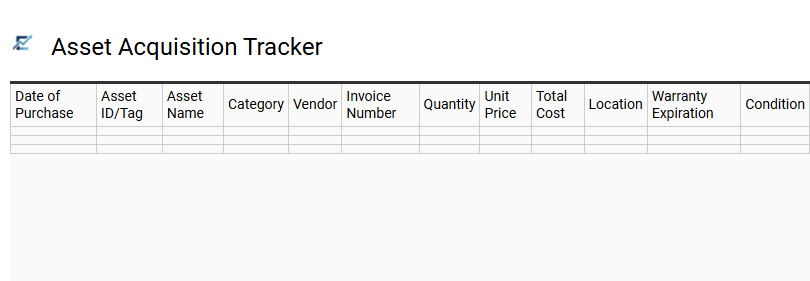
An Asset Acquisition Tracker is a professional Excel framework designed to streamline the procurement and lifecycle management of high-value items. This template provides a centralized database for recording critical purchase data, including acquisition dates, vendor details, initial costs, and warranty expiration periods. By maintaining a structured log of capital expenditures, businesses can ensure accurate depreciation tracking, simplify tax reporting, and improve budget forecasting for future investments.
Implementing this systematic approach offers real-time visibility into asset distribution and maintenance schedules across different departments. This kind of template is suitable for managing office equipment upgrades, tracking IT hardware distribution, or monitoring manufacturing machinery investments.
Download: 💾 Asset Acquisition Tracker .xls
Streamline financial oversight using a robust Excel purchase tracking spreadsheet. This dynamic tool centralizes expenditure logs, facilitating precise budget monitoring and inventory procurement. By leveraging automated data analysis, businesses achieve real-time visibility into supply chain costs and enhanced fiscal accountability.
Implementing structured bookkeeping practices ensures operational efficiency and tax compliance. Master your business expense management today to secure long-term profitability and data-driven decision-making through comprehensive digital auditing and strategic resource allocation.