
Comprehensive Office Hours Tracking Excel Template for Workplace Time Management
Efficiently managing a professional workspace requires precision. Implementing a robust Excel template for tracking office hours simplifies employee attendance and streamlines payroll processing. These digital timesheets allow teams to log daily clock-in times, breaks, and overtime with ease. By utilizing automated formulas, managers can monitor total labor costs and boost overall productivity. Whether you need a simple time log or a complex work schedule monitor, these spreadsheets ensure data accuracy and organizational efficiency. Please check our already made variation of templates below.
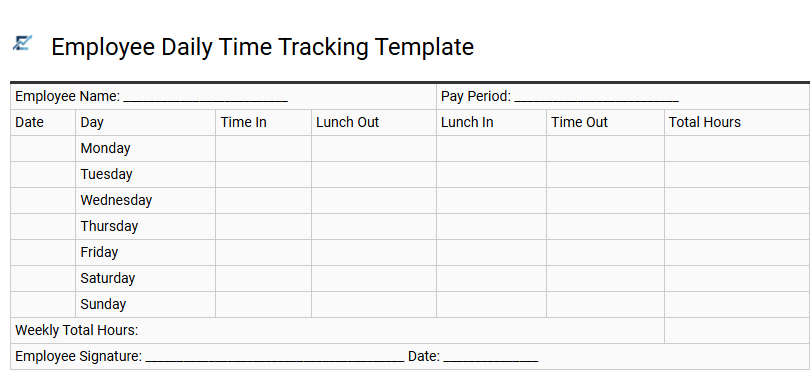
Employee Daily Time Tracking Template
An Excel-based employee daily time tracking template is an essential tool for maintaining workforce productivity and ensuring payroll accuracy. By systematically recording clock-in and clock-out times, breaks, and overtime, businesses can create a transparent record of total billable hours. This structured format simplifies administrative workflows, minimizes manual calculation errors, and allows managers to monitor attendance trends in real-time.
Using a digital spreadsheet enables seamless data filtering and integration with broader accounting or HR systems. Whether overseeing a physical office or a distributed remote team, these templates provide the precise data needed to evaluate project labor costs and streamline operational efficiency.
This template is ideal for calculating monthly payroll for hourly staff, monitoring project-specific labor costs, and verifying attendance for compliance audits.
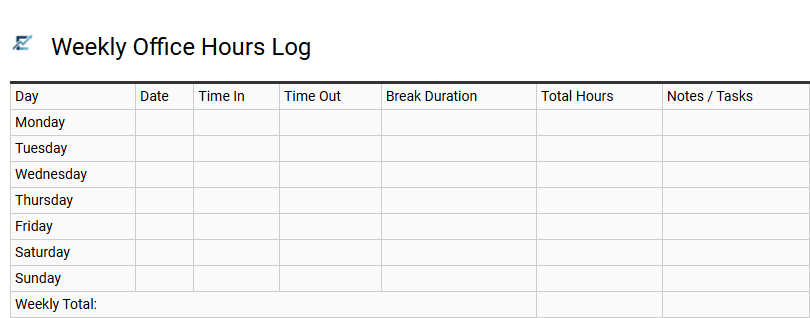
Weekly Office Hours Log
A Weekly Office Hours Log is a specialized Excel tool designed to streamline time tracking and enhance workplace transparency. This template provides a structured layout for recording daily clock-in times, clock-out times, and break durations, ensuring precise data for payroll and project management.
By utilizing automated formulas, the log calculates total weekly hours and identifies overtime instantly, significantly reducing administrative overhead and manual entry errors. It serves as a centralized audit trail for monitoring employee availability, optimizing shift coverage, and maintaining compliance with labor regulations. Implementing this standardized system helps managers visualize workload distribution and maintain consistent productivity records across the organization.
This template is ideal for academic faculty scheduling, small business payroll tracking, and monitoring intern attendance.
Download: 💾 Weekly Office Hours Log .xls
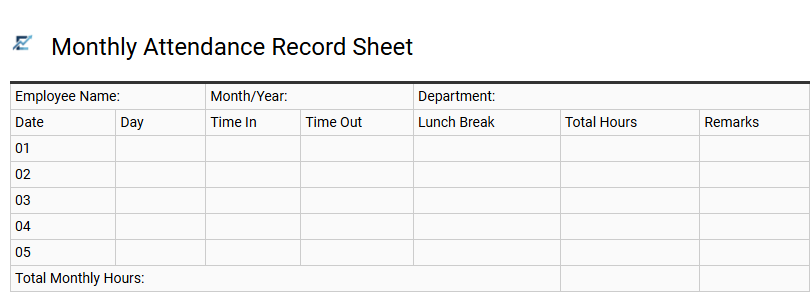
Monthly Attendance Record Sheet
A Monthly Attendance Record Sheet is a specialized Excel tool designed to streamline the tracking of employee office hours and punctuality. This template allows managers to log daily clock-in and clock-out times, automatically calculating total hours worked, overtime, and break durations. By utilizing digital spreadsheets, businesses can eliminate manual entry errors, simplify payroll processing, and maintain accurate records for labor law compliance.
Effective attendance tracking provides valuable insights into workforce productivity and absenteeism trends. With built-in formulas, users can quickly generate monthly summaries, making it an indispensable resource for organized human resources management.
This template is highly suitable for managing small business payroll, tracking work-study hours for university interns, and monitoring shift rotations in retail environments.
Download: 💾 Monthly Attendance Record Sheet .xls
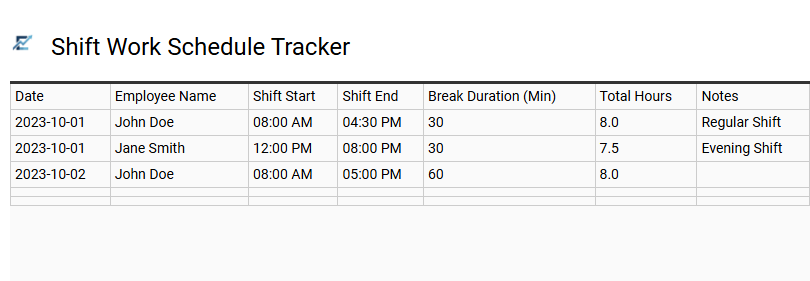
Shift Work Schedule Tracker
An Excel-based shift work schedule tracker simplifies employee management by providing a centralized dashboard for monitoring daily office hours. This template enables managers to assign specific shifts, track clock-in and clock-out times, and calculate total weekly hours automatically. By leveraging built-in formulas, the tracker reduces manual data entry errors and ensures better compliance with labor regulations regarding overtime and break periods.
It serves as an essential tool for maintaining optimal staffing levels, improving transparency between departments, and streamlining the payroll preparation process. This structured approach helps businesses visualize coverage gaps and manage rotating schedules with ease.
This template is suitable for retail staffing management, 24/7 customer support centers, and healthcare facility rotations.
Download: 💾 Shift Work Schedule Tracker .xls
Overtime Hours Calculation Template
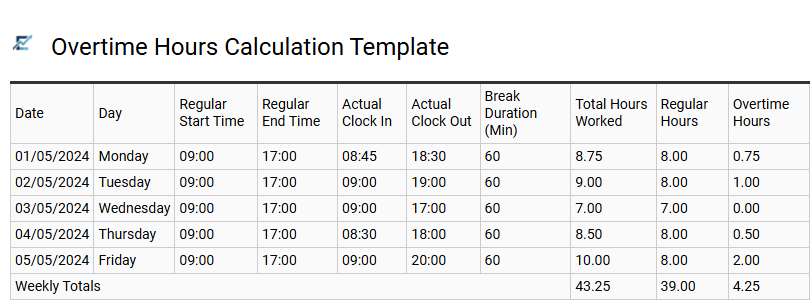
An Overtime Hours Calculation Template is an essential tool for maintaining accurate payroll records and ensuring compliance with local labor regulations. By automating the tracking of hours worked beyond standard shifts, these Excel templates eliminate manual errors and streamline administrative workflows. They typically feature pre-configured formulas that distinguish between regular time and various overtime tiers, such as time-and-a-half or double-pay, based on daily or weekly thresholds. Utilizing a structured digital timesheet allows managers to monitor labor costs in real-time while providing employees with transparent documentation of their extra work. This organized approach to data entry simplifies monthly reporting and enhances financial accuracy across the organization. This kind of template is suitable for monthly payroll auditing for small businesses, managing seasonal workload spikes in retail environments, and tracking billable hours for project-based consultants.
Remote Work Attendance Log
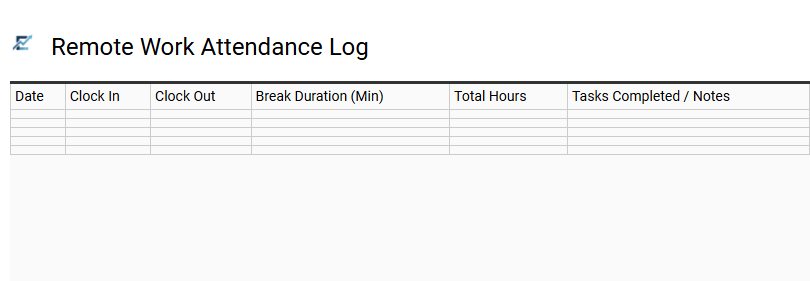
A Remote Work Attendance Log is a specialized Excel template designed to streamline time tracking for distributed teams. This tool allows employees to record daily start times, end times, and break durations, ensuring accurate calculation of total working hours. By centralizing attendance data, managers can maintain visibility into workforce availability and simplify the payroll reconciliation process.
Using a digital log fosters accountability and provides a clear audit trail for project management and labor compliance. Features like automated formulas and date formatting make it easier to manage global operations while reducing manual entry errors.
This template is perfectly suitable for freelance contract billing, monitoring full-time remote employee hours, and tracking virtual assistant task durations.
Download: 💾 Remote Work Attendance Log .xls
Departmental Staff Hours Tracker
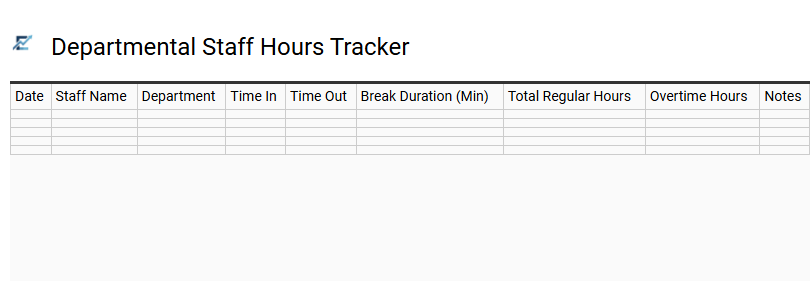
A Departmental Staff Hours Tracker is a robust Excel template designed to streamline workforce management and administrative accuracy. This tool allows managers to record daily clock-in and clock-out times, calculate total duration, and monitor overtime hours automatically. By centralizing attendance data, departments can ensure payroll precision and maintain strict compliance with labor regulations.
The template features built-in formulas that reduce manual entry errors, providing real-time insights into team availability and resource distribution. Using a structured spreadsheet format enhances transparency and simplifies the reporting process for both supervisors and employees.
This template is ideal for managing university faculty office hours, tracking rotating shifts in healthcare clinics, and monitoring weekly hours for part-time administrative assistants.
Download: 💾 Departmental Staff Hours Tracker .xls
Biweekly Time Sheet Template
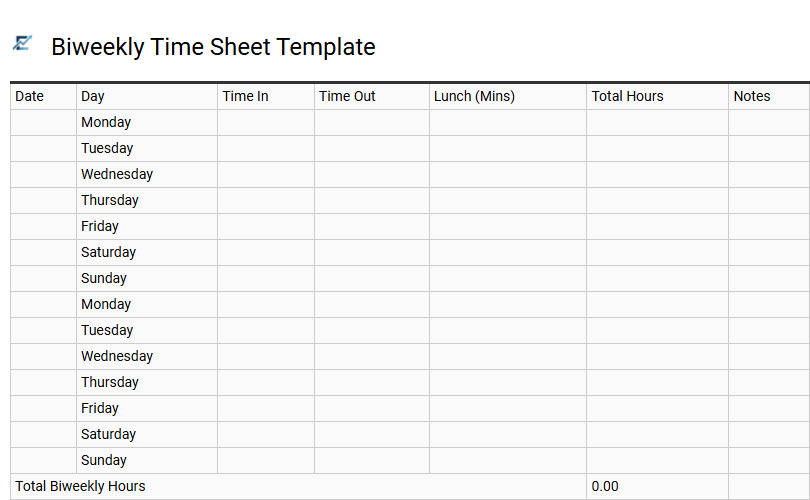
A biweekly time sheet template is an essential Excel tool designed to streamline payroll by tracking employee office hours over a 14-day cycle. This format simplifies timekeeping by allowing staff to record daily start times, end times, and unpaid breaks, while built-in formulas automatically calculate gross hours and potential overtime. Using a structured spreadsheet ensures data accuracy, reduces administrative errors, and maintains clear records for labor law compliance.
By centralizing attendance data, businesses can gain better visibility into labor costs and productivity trends within a consistent two-week window. This standardized approach helps both employers and employees maintain transparency regarding worked hours and compensation.
This template is suitable for: small businesses with every-other-week payroll cycles, independent contractors billing clients on a fortnightly basis, and departmental managers tracking part-time staff shifts.
Download: 💾 Biweekly Time Sheet Template .xls
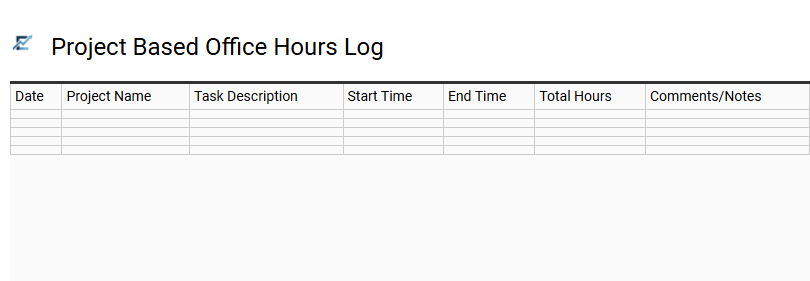
Project Based Office Hours Log
A Project Based Office Hours Log is a professional Excel template designed to streamline time tracking across multiple assignments. By documenting start times, end times, and specific task descriptions, users can accurately attribute their work hours to individual projects or clients.
This granular level of data is essential for maintaining accountability, optimizing resource allocation, and ensuring precise invoicing. Whether you are managing internal deadlines or external deliverables, this structured format improves transparency and boosts overall productivity by highlighting exactly where your time is most impactful.
This template is suitable for freelance consultants billing multiple clients, university teaching assistants tracking student support sessions, and IT departments managing support tickets across various software implementations.
Download: 💾 Project Based Office Hours Log .xls
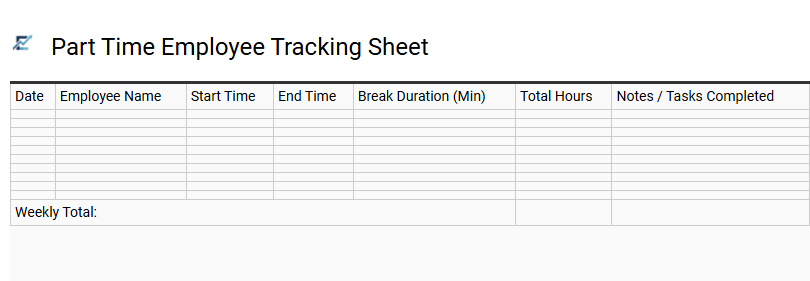
Part Time Employee Tracking Sheet
Efficiently managing a flexible workforce requires precise timekeeping and organized data. A Part Time Employee Tracking Sheet is a specialized Excel tool designed to log daily work hours, break durations, and total shifts with accuracy. By utilizing built-in formulas, this template automates wage calculations and ensures seamless payroll processing while maintaining compliance with labor standards.
This digital timesheet provides clear visibility into employee attendance and productivity, allowing managers to monitor fluctuating schedules in real-time. It streamlines administrative workflows by centralizing data in a user-friendly format, reducing manual entry errors and fostering transparency between employers and staff.
This kind of template is suitable for small business staffing, seasonal retail help, and student internship programs.
Download: 💾 Part Time Employee Tracking Sheet .xls
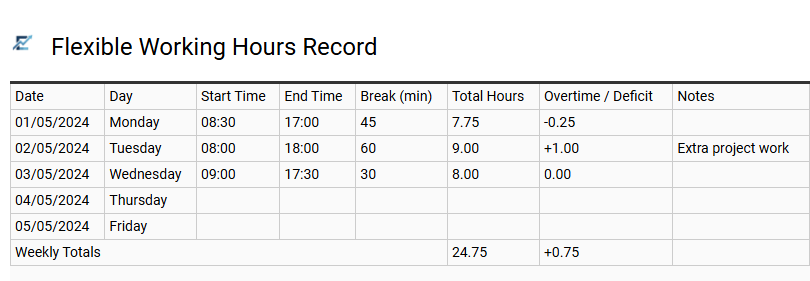
Flexible Working Hours Record
A flexible working hours record is an essential Excel-based tool designed to manage non-traditional schedules. By logging daily start times, end times, and break durations, this template automatically calculates total hours worked and monitors flexi-time balances. It ensures employees meet their contractual obligations while offering the autonomy to adjust shifts around personal commitments.
Using a structured digital log improves payroll accuracy and provides managers with real-time data on team availability. This transparency fosters trust and helps maintain productivity across diverse working environments without the need for complex software. It is an efficient way to track overtime, accumulated leave, and core hour compliance in one centralized spreadsheet.
This template is suitable for remote freelancers tracking billable hours, corporate departments utilizing staggered shifts, and part-time employees with variable weekly schedules.
Download: 💾 Flexible Working Hours Record .xls
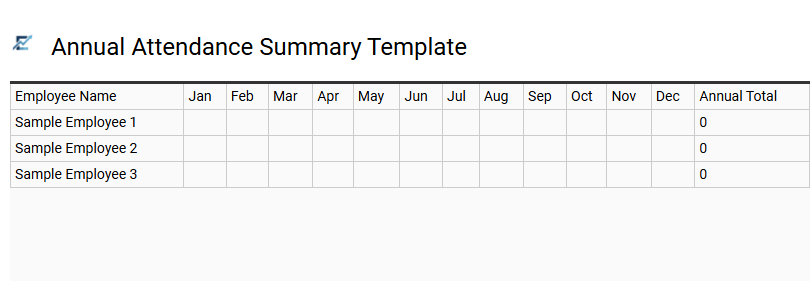
Annual Attendance Summary Template
An Annual Attendance Summary Template provides a comprehensive high-level overview of employee time-tracking data throughout the calendar year. This Excel-based tool aggregates daily clock-in records into a consolidated report, allowing managers to visualize trends in absenteeism, vacation usage, and total hours worked. By utilizing automated formulas, the template eliminates manual calculation errors and simplifies the transition between monthly reporting cycles.
High-quality summary templates often include visual indicators to identify peak operational periods and staffing gaps. Centralizing this data ensures better resource planning, ensures labor law compliance, and provides an objective basis for performance evaluations.
This template is ideal for calculating year-end performance bonuses, monitoring long-term absenteeism trends, and simplifying annual HR audits.
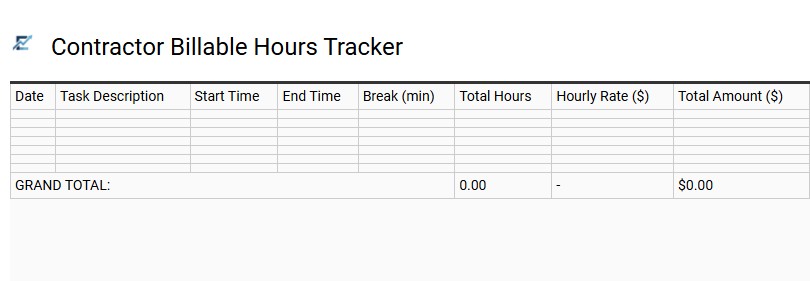
Contractor Billable Hours Tracker
An Excel template for tracking billable hours is an essential tool for professionals to ensure precise invoicing and streamlined project management. These templates allow users to log daily tasks, start and end times, and break durations, automatically calculating total payable hours through integrated formulas. By maintaining a structured digital log, contractors can provide clients with transparent audit trails, reduce payment disputes, and simplify tax reporting. Utilizing a spreadsheet-based system enhances productivity tracking and helps keep individual projects within budget constraints.
This template is ideal for independent management consultants, remote software developers, and freelance graphic designers managing multiple client contracts.
Download: 💾 Contractor Billable Hours Tracker .xls
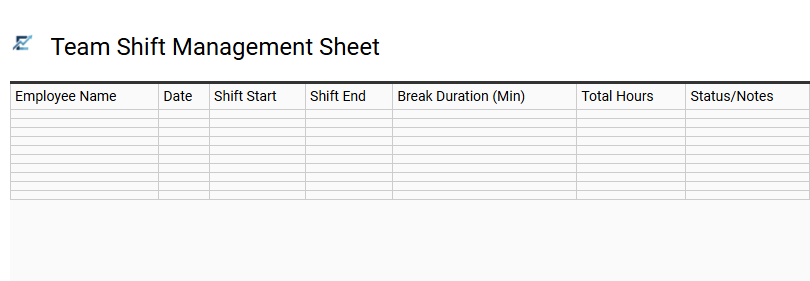
Team Shift Management Sheet
A Team Shift Management Sheet is a vital component of any office hours tracker, designed to coordinate staff schedules and ensure consistent departmental coverage. This Excel-based tool enables managers to assign specific work blocks, monitor daily attendance, and track breaks in a centralized location. By utilizing automated formulas, the sheet calculates total hours worked, identifies overtime, and simplifies payroll preparation.
The clear visual layout helps prevent scheduling conflicts and provides transparency across the organization. This streamlined approach to time tracking improves operational efficiency and ensures that team resources are allocated effectively throughout the workweek.
This template is suitable for retail staffing rotations, hybrid office attendance tracking, and 24/7 customer support helpdesk coverage.
Download: 💾 Team Shift Management Sheet .xls
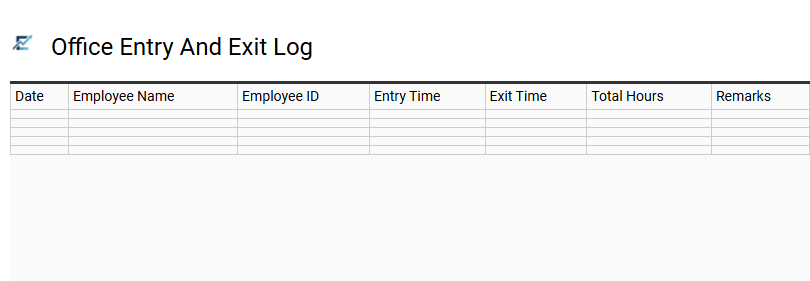
Office Entry And Exit Log
An Office Entry and Exit Log is a professional Excel-based tool designed to streamline employee attendance tracking. By recording precise timestamps for daily arrivals, departures, and break intervals, businesses can automate the calculation of total working hours. This template minimizes manual entry errors, ensuring high data integrity for payroll processing and performance evaluations.
Utilizing built-in formulas, the log provides real-time insights into punctuality, overtime trends, and labor law compliance. It serves as a centralized digital ledger that enhances organizational transparency and administrative efficiency for teams of any size.
This template is ideal for: 1. Small businesses managing part-time staff shifts. 2. HR departments auditing daily punctuality and overtime. 3. Freelancers or contractors billing clients based on verifiable logged hours.
Download: 💾 Office Entry And Exit Log .xls
This comprehensive office hours tracking Excel template revolutionizes workplace time management. Our robust spreadsheet streamlines employee scheduling and attendance logs, ensuring precise payroll integration for diverse teams. By utilizing automated calculations, organizations enhance operational efficiency and minimize manual labor costs.
This versatile timesheet solution empowers managers with real-time data, driving superior workflow optimization and professional accountability across all departments. Experience simplified resource allocation and improved productivity with this essential administrative tool designed for modern business environments.