
Professional Consulting Billable Hours Tracker Template for Excel
Managing multiple client projects requires precision to ensure accurate billing and professional project management. An Excel template for tracking consulting hours provides a streamlined approach for consultants and freelancers to log daily activities, monitor billable hours, and maintain a detailed worklog. By utilizing structured spreadsheets, you can enhance productivity and simplify the transition from time tracking to invoicing. Efficiently organizing your consultancy timesheet is crucial for financial transparency and client trust. Please review our curated selection of pre-configured variations of templates available below.
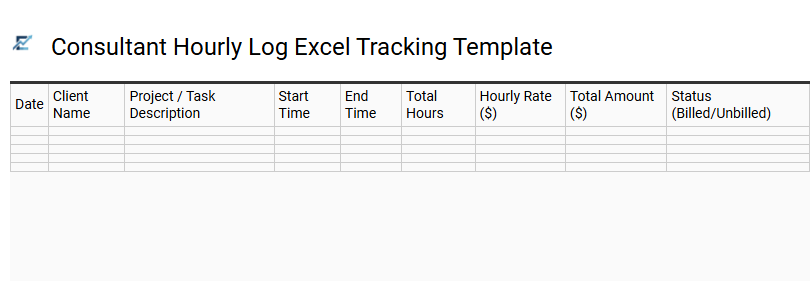
Consultant Hourly Log Excel Tracking Template
A professional consultant hourly log Excel tracking template is a vital tool for documenting billable time and project progress accurately. This structured spreadsheet allows consultants to record specific tasks, durations, and client details, ensuring complete transparency for financial audits. By leveraging built-in formulas, the template automatically calculates total hours and labor costs, significantly reducing the administrative burden of manual invoicing.
Using a standardized log helps identify time-intensive activities, allowing for better resource allocation and more precise future project estimations. It serves as a reliable record for both the consultant and the client, fostering trust through detailed reporting.
This template is ideally suited for independent IT contractors managing software deployments, freelance marketing specialists performing SEO audits, and legal advisors providing hourly corporate consultations.
Download: 💾 Consultant Hourly Log Excel Tracking Template .xls
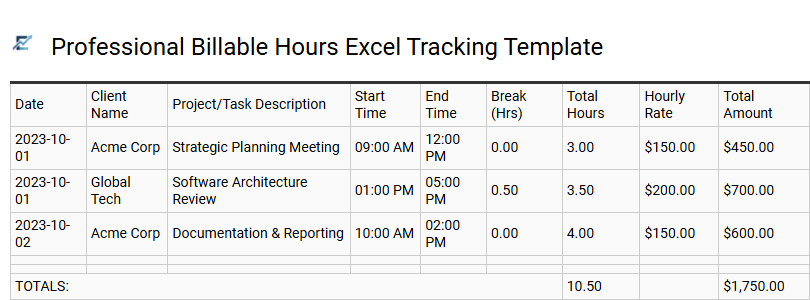
Professional Billable Hours Excel Tracking Template
A professional billable hours Excel tracking template is an essential tool for consultants to record time accurately and streamline the invoicing process. These templates allow users to log specific project tasks, start and end times, and applicable hourly rates, automatically calculating total costs through built-in formulas. By maintaining a structured log, consultants ensure transparency with clients and minimize the risk of underbilling or manual calculation errors.
Utilizing a standardized spreadsheet also facilitates better project management and financial reporting. It provides a clear overview of how time is allocated across different accounts, helping professionals optimize their productivity and monitor budget thresholds in real-time.
This template is suitable for independent management consultants tracking strategy sessions, freelance software developers logging sprint tasks, and legal professionals managing billable client consultations.
Download: 💾 Professional Billable Hours Excel Tracking Template .xls
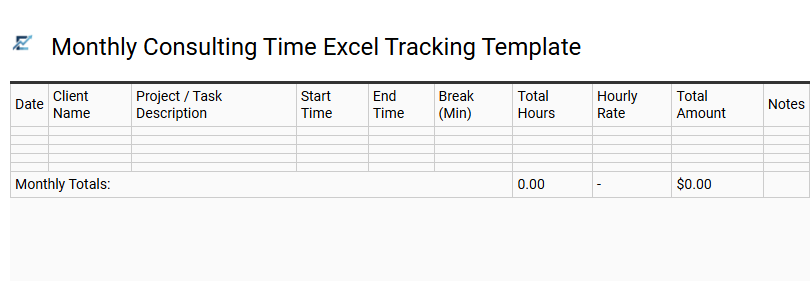
Monthly Consulting Time Excel Tracking Template
An optimized Monthly Consulting Time Excel Tracking Template is essential for professionals seeking precision in billable hour management and project oversight. This tool allows consultants to systematically record daily durations, categorize activities, and calculate total earnings across multiple client accounts. By utilizing structured data fields for dates, task descriptions, and hourly rates, users can generate transparent reports that simplify the invoicing process and improve financial accuracy.
Implementing this systematic tracking method minimizes administrative friction and provides a clear audit trail for stakeholders, ensuring every productive minute is accounted for and properly reimbursed. This template is suitable for independent software developers managing sprint-based tasks, freelance marketing consultants balancing various client campaigns, and management advisors tracking billable hours for corporate restructuring projects.
Download: 💾 Monthly Consulting Time Excel Tracking Template .xls
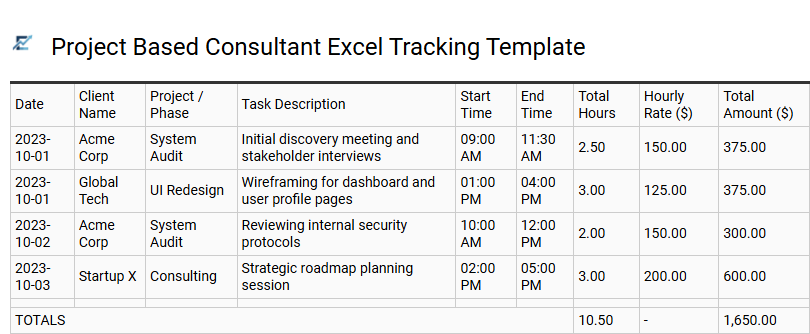
Project Based Consultant Excel Tracking Template
A project-based consultant Excel tracking template is an essential tool for professional service providers who need to document billable hours with precision. This semantic spreadsheet structure allows contractors to log task descriptions, dates, and durations while automatically calculating totals based on pre-set hourly rates. By centralizing data, consultants can maintain transparent records for client auditing, monitor project budgets in real-time, and streamline the monthly invoicing process. Utilizing a structured Excel format reduces administrative overhead and ensures that every minute of specialized labor is accounted for and compensated.
This template is ideal for freelance software developers billing by feature milestones, management consultants tracking onsite client discovery sessions, and creative directors managing monthly retainer hours across multiple brand campaigns.
Download: 💾 Project Based Consultant Excel Tracking Template .xls
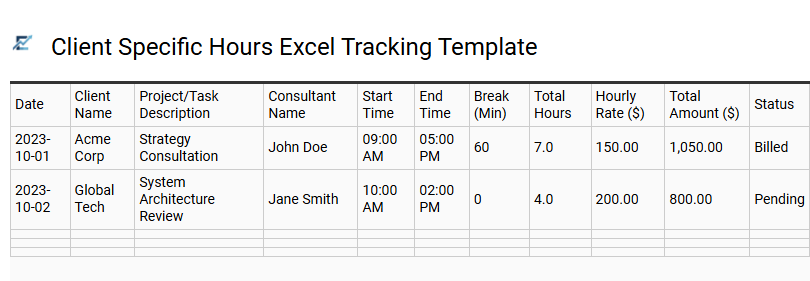
Client Specific Hours Excel Tracking Template
A client-specific hours Excel tracking template is an essential tool for consultants and freelancers to record billable time with precision. This structured format allows users to log hours, task categories, and project milestones for individual clients, ensuring transparent billing and accurate financial reporting. By utilizing built-in formulas, the template automatically calculates totals and identifies budget variances, helping professionals manage their workload effectively.
Implementing a dedicated tracking sheet minimizes manual errors and provides a professional audit trail for performance reviews or tax documentation. This kind of template is suitable for freelance web developers balancing multiple projects, legal advisors tracking billable case hours, and marketing consultants managing monthly retainer activities.
Download: 💾 Client Specific Hours Excel Tracking Template .xls
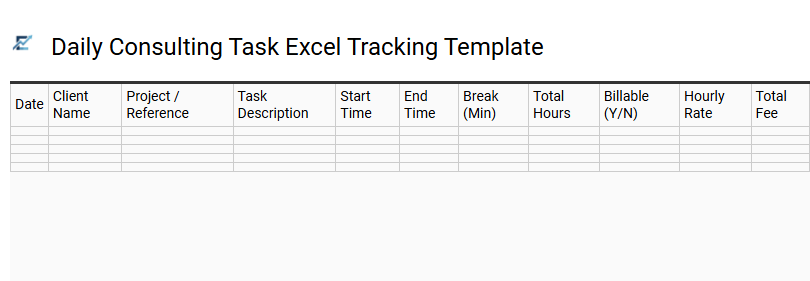
Daily Consulting Task Excel Tracking Template
A Daily Consulting Task Excel Tracking Template is an essential tool for professionals to accurately record billable hours and monitor project progress. By documenting specific tasks, start times, and durations, consultants ensure transparency and simplify the invoicing process. This structured approach helps in identifying time-consuming activities and optimizing workflow efficiency.
Key fields typically include date, client details, task descriptions, and calculated totals, allowing for seamless integration into monthly financial reports. Using a standardized spreadsheet reduces administrative errors and provides a clear audit trail for both consultants and their clients. This template is highly effective for maintaining organized records across multiple projects simultaneously, ensuring every billable minute is captured.
This template is perfectly suited for freelance software developers, management consultants providing strategic advice, and creative agencies tracking hours across various client campaigns.
Download: 💾 Daily Consulting Task Excel Tracking Template .xls
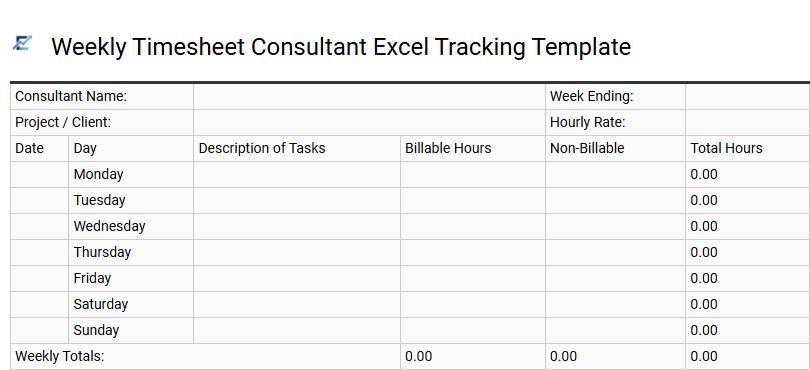
Weekly Timesheet Consultant Excel Tracking Template
A weekly timesheet consultant Excel tracking template is a vital tool for professionals to accurately record billable hours and manage project timelines. By systematically logging daily tasks, start times, and duration, consultants ensure transparent invoicing and improved time management. This structured format facilitates the automatic calculation of total hours and costs, minimizing manual entry errors while streamlining monthly client reporting.
Using a dedicated Excel tracker allows for easy categorization of work by client or project phase, providing clear data for performance analysis and budget monitoring. It serves as a reliable audit trail for both the service provider and the client during the billing cycle.
This template is suitable for independent IT contractors, freelance marketing specialists, and management consultancy firms.
Download: 💾 Weekly Timesheet Consultant Excel Tracking Template .xls
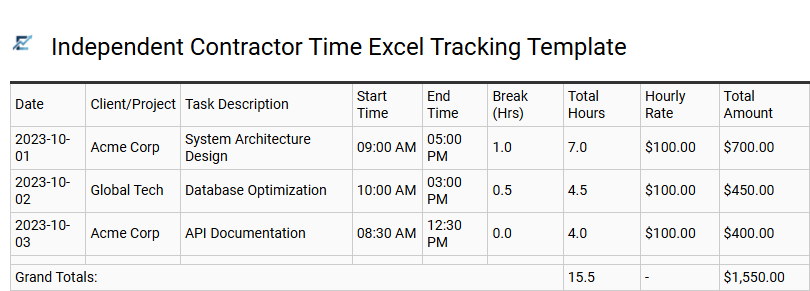
Independent Contractor Time Excel Tracking Template
An efficient Independent Contractor Time Excel Tracking Template is essential for maintaining accurate records of professional consulting hours. This tool simplifies project management by organizing billable tasks, dates, and durations into a clean, searchable format. By incorporating automated formulas, the template calculates total earnings and taxes, ensuring financial transparency for both the contractor and the client. Utilizing a standardized spreadsheet reduces administrative overhead, minimizes billing discrepancies, and provides a clear audit trail for tax season. It acts as a professional bridge between completed work and seamless payment processing.
This template is suitable for freelance software developers, marketing consultants managing multiple campaigns, and independent paralegals tracking billable hours for law firms.
Download: 💾 Independent Contractor Time Excel Tracking Template .xls
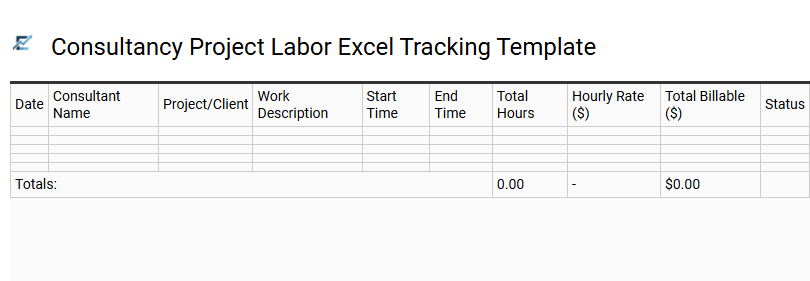
Consultancy Project Labor Excel Tracking Template
A consultancy project labor Excel tracking template is an essential tool for professional services to record billable hours and manage project budgets efficiently. By logging time against specific deliverables, consultants ensure accurate invoicing and transparent client reporting. This structured spreadsheet allows for real-time monitoring of resource allocation, helping firms stay within scope and maximize profitability.
The template typically features automated calculations for total labor costs based on varying hourly rates, streamlining the workflow between project delivery and financial reconciliation. This template is ideal for independent IT contractors overseeing software development cycles, marketing agencies managing multi-client campaigns, and management consultants performing long-term corporate audits.
Download: 💾 Consultancy Project Labor Excel Tracking Template .xls
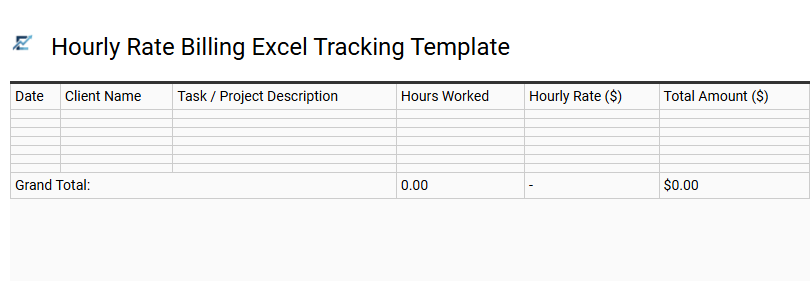
Hourly Rate Billing Excel Tracking Template
An hourly rate billing Excel tracking template is a vital tool for consultants and freelancers to record billable time with precision. This structured spreadsheet streamlines the invoicing process by capturing task descriptions, start and end times, and break durations. By utilizing automated formulas, the template calculates total hours and final costs instantly, reducing manual errors and ensuring transparent financial reporting for clients.
This resource helps professionals maintain professional standards while improving workflow efficiency and project management. This kind of template is suitable for: independent IT contractors managing multiple client projects, legal consultants tracking billable hours for case files, and freelance marketing specialists monitoring monthly campaign activities.
Download: 💾 Hourly Rate Billing Excel Tracking Template .xls
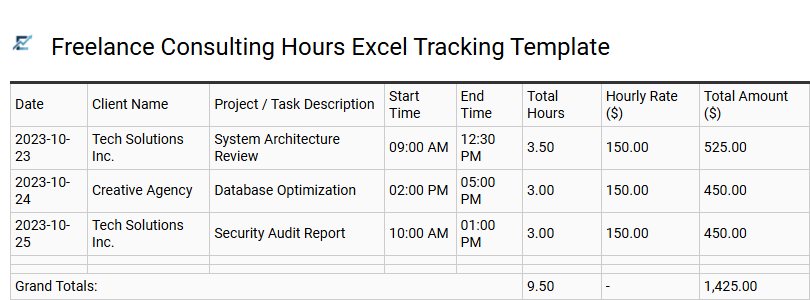
Freelance Consulting Hours Excel Tracking Template
Efficiently managing billable time is essential for professional success and accurate financial reporting. A Freelance Consulting Hours Excel Tracking Template offers a streamlined solution for independent contractors to log daily activities, categorize tasks by project, and automate earnings calculations using built-in formulas.
By utilizing a structured spreadsheet, consultants can maintain a transparent audit trail, simplify the invoicing process, and gain insights into productivity levels. This organized approach ensures no billable minute is overlooked while providing clients with detailed proof of work. Transitioning from manual notes to a dedicated Excel tracker enhances professional credibility and simplifies tax preparation.
This template is suitable for independent IT specialists, freelance marketing consultants, and hourly legal advisors.
Download: 💾 Freelance Consulting Hours Excel Tracking Template .xls
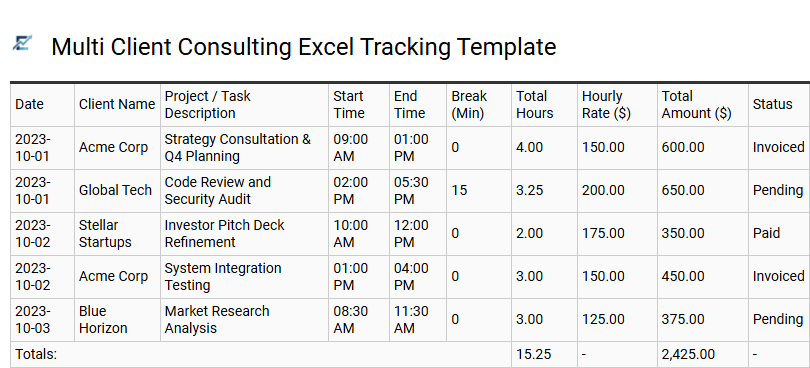
Multi Client Consulting Excel Tracking Template
A Multi Client Consulting Excel Tracking Template is an essential tool for professionals managing diverse projects simultaneously. This structured spreadsheet enables consultants to accurately log billable hours, define task categories, and monitor project milestones in one centralized location. By utilizing automated formulas, users can calculate total earnings based on varying hourly rates, ensuring precise invoicing and improved financial transparency.
Beyond simple timekeeping, this template facilitates productivity analysis and workload balancing across different client accounts. Organizing data by date, project, and client name helps in generating comprehensive reports for stakeholders, ultimately streamlining administrative workflows. This template is suitable for freelance software developers juggling multiple contracts, marketing specialists tracking creative hours for various brands, and management consultants overseeing several corporate restructuring projects.
Download: 💾 Multi Client Consulting Excel Tracking Template .xls
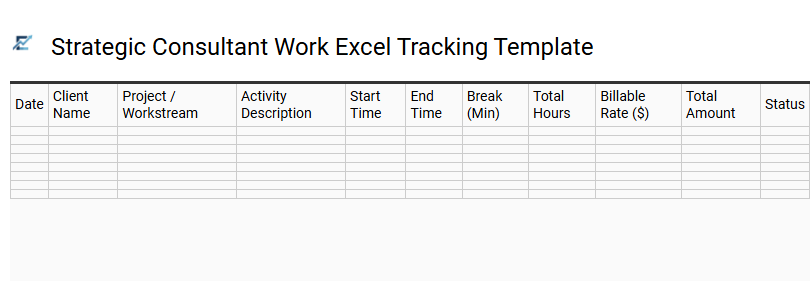
Strategic Consultant Work Excel Tracking Template
Efficiently managing high-level advisory projects requires a precise system for monitoring time distribution and project milestones. A Strategic Consultant Work Excel Tracking Template provides a structured framework for logging billable hours, categorizing tasks by client, and calculating total costs using automated formulas. By organizing data into clear, filterable fields, consultants can generate professional reports that enhance billing transparency and facilitate data-driven project reviews.
This semantic-optimized tool streamlines administrative workflows, allowing professionals to focus on delivering strategic value. Using a centralized spreadsheet ensures accurate record-keeping for tax purposes, resource allocation, and profitability analysis across diverse client portfolios.
This template is highly suitable for independent management advisors, boutique firms conducting multi-client audits, and freelance technical strategy consultants.
Download: 💾 Strategic Consultant Work Excel Tracking Template .xls
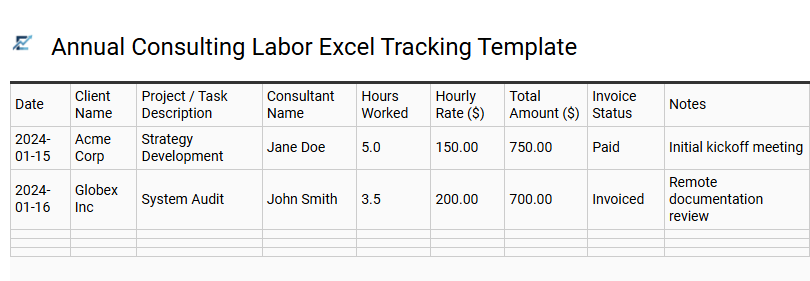
Annual Consulting Labor Excel Tracking Template
An annual consulting labor tracking template is an essential tool for professionals to accurately record billable hours and manage project budgets. By centralizing labor data, consultants can monitor productivity trends, ensure precise invoicing, and maintain a clear audit trail for clients throughout the fiscal year.
These templates leverage Excel's computational power to automate calculations for daily rates and cumulative project costs, significantly reducing manual entry errors. This structured approach helps in optimizing resource allocation, tracking progress against milestones, and improving overall business profitability.
Sample use cases for this template include freelance software development projects, boutique management consulting engagements, and independent marketing audits.
Download: 💾 Annual Consulting Labor Excel Tracking Template .xls
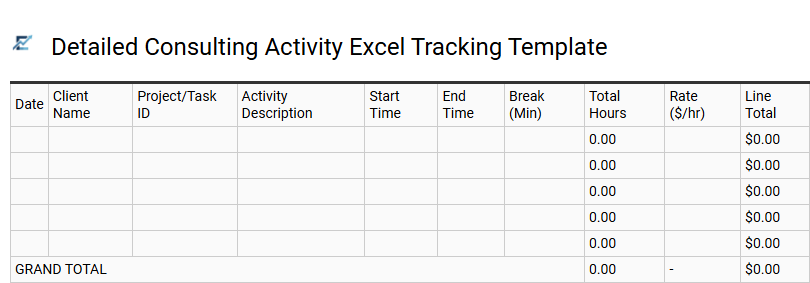
Detailed Consulting Activity Excel Tracking Template
A robust Excel tracking template is essential for professional consultants to monitor billable hours, manage project milestones, and ensure precise financial reporting. By systematically logging task descriptions, client names, and duration, consultants can generate transparent, audit-ready records. These templates often include automated formulas for calculating totals and tax, significantly reducing administrative overhead and manual entry errors.
Having a granular view of daily activities allows for better resource allocation and provides the data necessary for insightful productivity analysis. This systematic approach to timekeeping builds trust with clients and streamlines the entire invoicing workflow.
This template is perfectly suited for freelance software development, marketing agency client management, and legal or financial advisory services.
Download: 💾 Detailed Consulting Activity Excel Tracking Template .xls
Streamline your professional services with a robust Consulting Billable Hours Tracker Template for Excel. This specialized spreadsheet simplifies time tracking, ensuring accurate client billing and efficient project management. By automating timesheet entries, consultants can monitor resource allocation and maximize revenue tracking with ease. Whether you need to generate an invoice or analyze productivity metrics, this tool is indispensable for modern workflows. Download our template today to optimize your consultancy's financial health and maintain precise records for every billable milestone.